Public institutions in South Korea still use files with the .hwp extension a lot.
This file format is a proprietary document format created by Hancom (Hangul and Computer).
The problem is that this format is not fully compatible with other programs.
It is possible to open and view the document.
But reading its contents structurally and using them like data is a completely different matter.
And this is exactly the point where the biggest obstacle appears when you try to process public documents with AI.
1. Why parsing official documents is hard – hwp

HWP is not a simple document file.
Because it’s a binary format dedicated to Korean, what humans see with their eyes and how a machine structurally interprets it are completely different problems.
Simply opening the file itself may be possible.
But reliably parsing it into meaningful units such as paragraphs, tables, items, and formats is much harder.
The reason is simple.
Paragraph, style, and layout structures are intricately intertwined, and
it is designed more around output appearance than the text itself, and
once you add elements like tables, shapes, and form fields, the difficulty rises sharply.
In the end, although HWP is a document for humans to view, for AI or code it’s closer to a format that is difficult to handle.
The biggest issue is that it is far from the standard-based document flow widely used by formats like OOXML or PDF.
2. hwp VS hwpx
Perhaps in recognition of these limitations, the .hwpx format has recently started being used alongside it.
HWPX internally uses an XML-based structure.
In other words, you can open the file like a zip and parse the XML to work with it.
This difference is bigger than it sounds.
If HWP is a binary blob that’s hard to read, HWPX is more like a document whose structure you can analyze.
I’ve also made use of this to extract achievement-standard data and organize it into a database.
In that it lets you go beyond simply reading the document and instead recycle it as data, HWPX is clearly a meaningful change.

3. Creating official documents with hwpx + AI
This naturally leads to a question.
If we can handle official documents as HWPX, couldn’t we also read and write them with AI?
So I tried having ChatGPT and Claude actually read official documents and draft application forms.
1) Creating official documents with ChatGPT
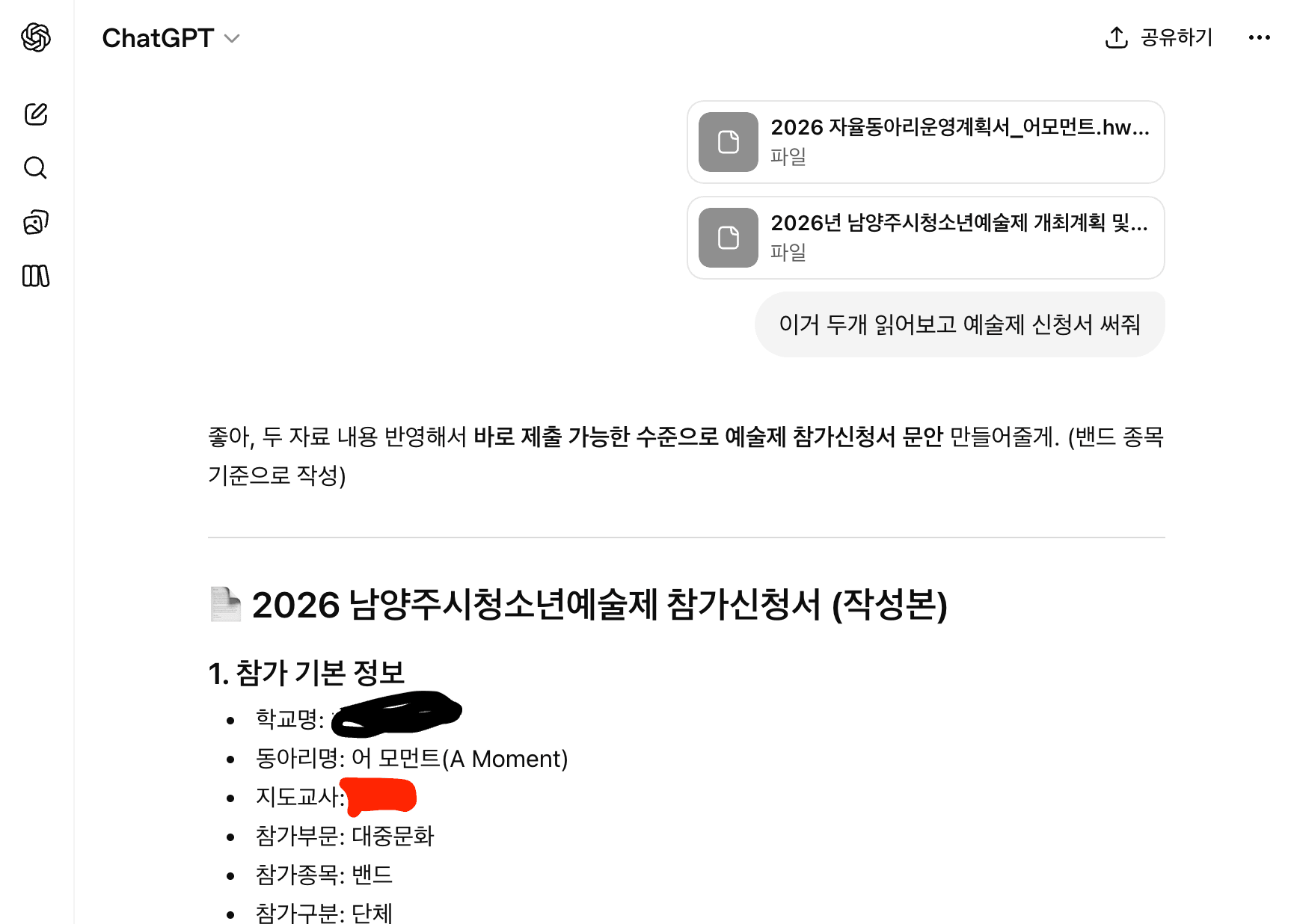
ChatGPT reads the contents of official documents quite well.
Summaries and key-point extraction are fairly accurate.
However, when you ask it to write an application form, in many cases it outputs only the content as plain text, not as a completed document.
It’s more than useful enough for drafting a first version, but there are limits to producing a document that can be submitted as-is.
2) Creating official documents with Claude
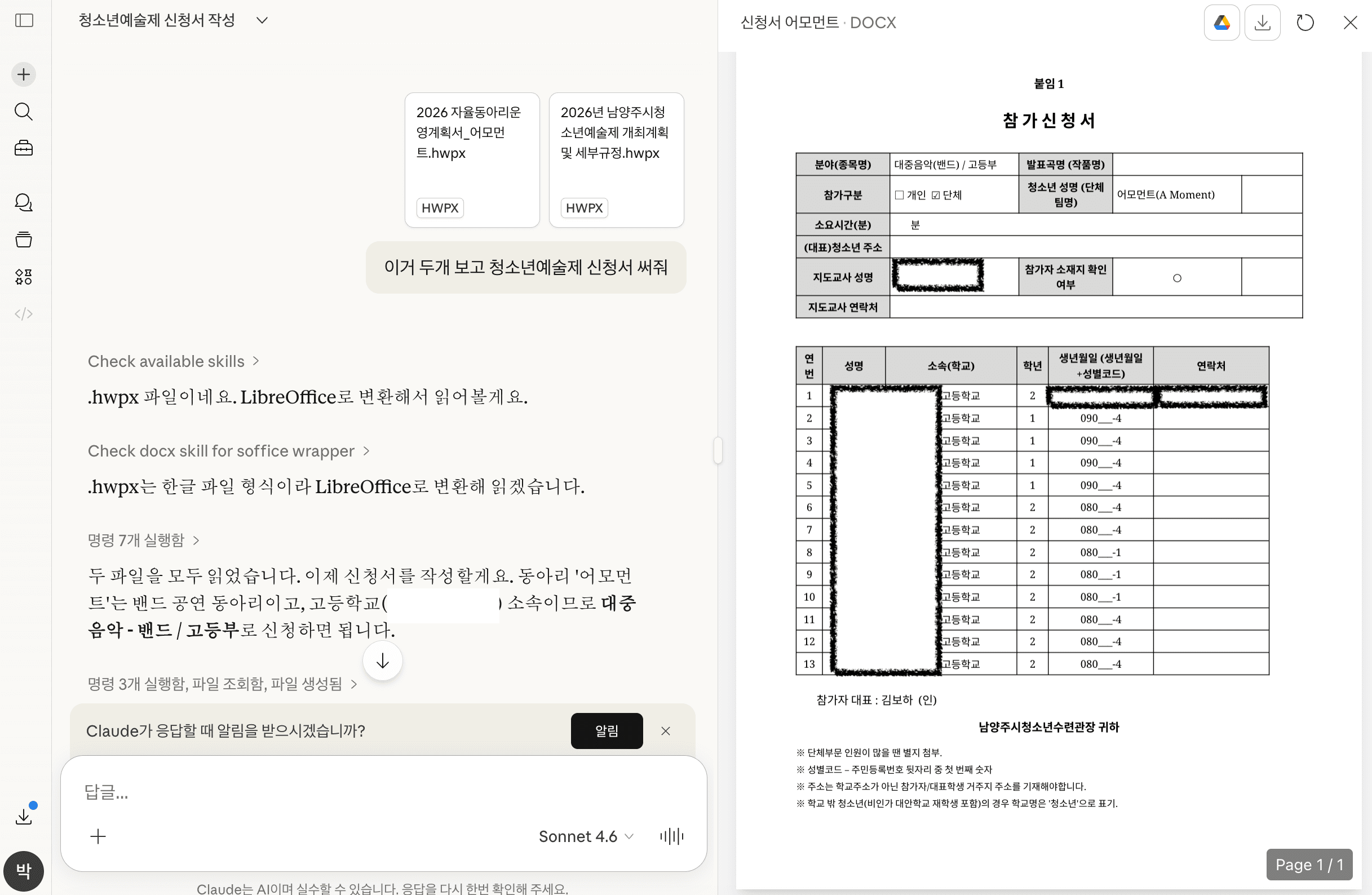
I tried the same request with Claude.
This time, it generates a document in .doc format.
The template is followed quite well, and the content is natural.
But in the end, you still have to copy the result and paste it back into the existing official document template.
It is still hard to call this full automation.
4. Creating official documents with kordoc + python-hwpx
At some point I came across a library on GitHub that parses official documents.
I thought that if I used this, I might even be able to write official documents in VS Code or Cursor.
Since it’s Node-based, I installed it using npm.
I created a folder called korDoc and installed it there.
mkdir korDoc
cd korDoc
npm i kordoc
Now it was time to install the MCP so that AI could use it.
Press F1 and search for MCP.

Then go into Tools&MCP and add a custom MCP.
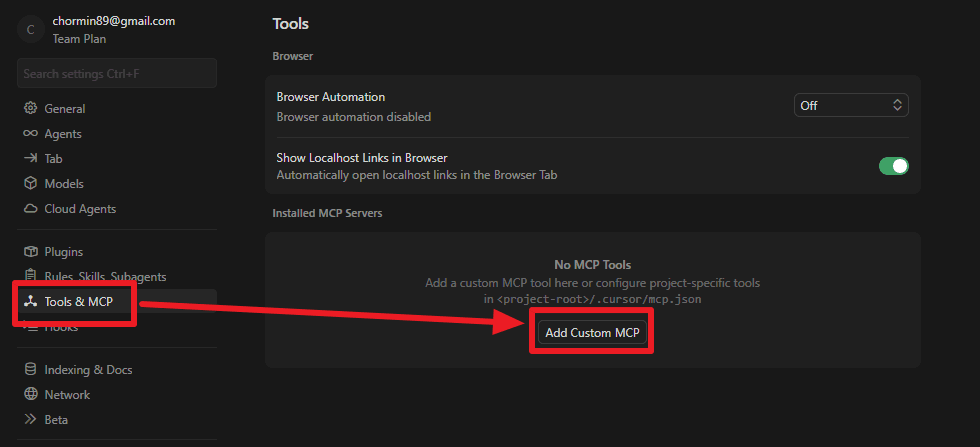
At first, I added the MCP as below, following the official documentation.
But then an error appeared...?
{
  "mcpServers": {
    "kordoc": {
      "command": "npx",
      "args": ["-y", "kordoc-mcp"]
    }
  }
}
2026-04-02 10:37:44.505 [error] npm error 404 'kordoc-mcp@*' is not in this registry.
Error [ERR_MODULE_NOT_FOUND]: Cannot find package 'pdfjs-dist' imported from C:\Users\fecu\AppData\Local\npm-cache\_npx\5ea84d466de2b626\node_modules\kordoc\dist\chunk-VOMMXHNQ.jsSince I got the error above, I asked my AI buddy, and it told me to change it as below because of dependencies.
After registering it like this, I was able to register the MCP smoothly.
{
  "mcpServers": {
    "kordoc": {
      "command": "npx",
      "args": ["-y", "-p", "kordoc", "-p", "pdfjs-dist", "kordoc-mcp"]
    }
  }
}
I put a Korean document into korDoc and tried parsing it.
Cursor automatically read the official document and summarized its content.
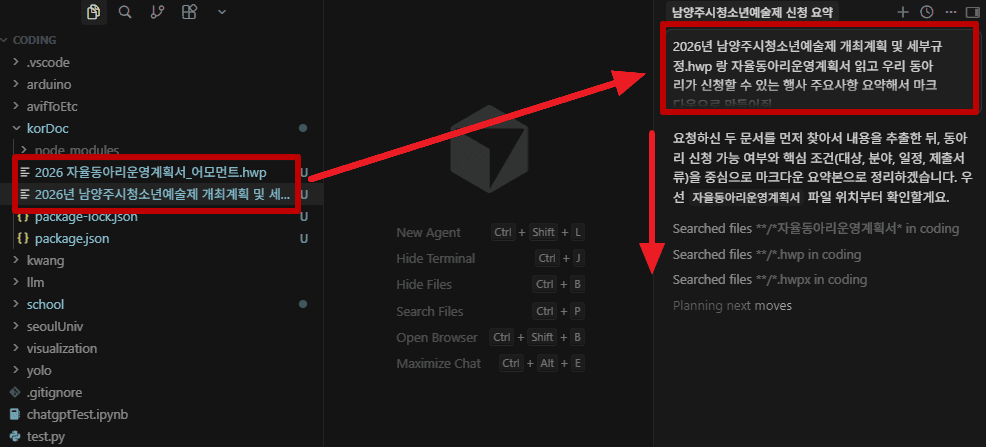
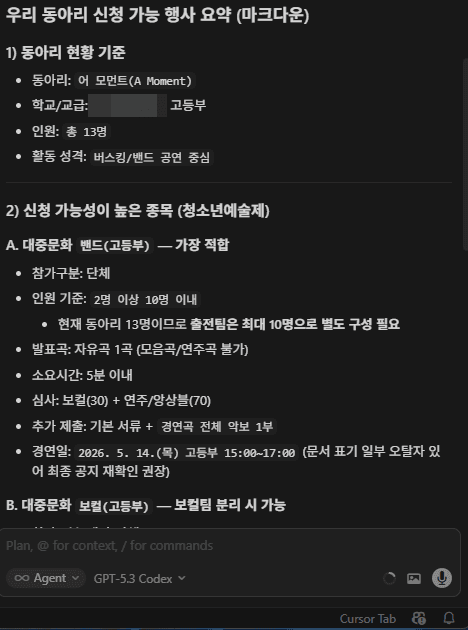
Now all that remained was to tell it to write the application form...
The problem is that kordoc does not have the ability to write hwp or hwpx.
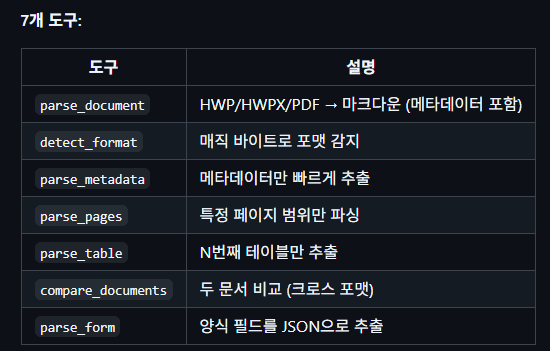
So what I next came across was python-hwpx.
This was created by an IT teacher at a school.
It takes advantage of the fact that hwpx supports XML and is built to generate documents.
This also supports MCP, so I installed it together with its dependencies.
I’ll leave the GitHub link for the MCP below.
pip install uv
pip install python-hwpxAs before, I registered it as a custom MCP.
{
  "mcpServers": {
    "hwpx": {
      "command": "uv",
      "args": ["tool", "run", "hwpx-mcp-server"]
    }
  }
}
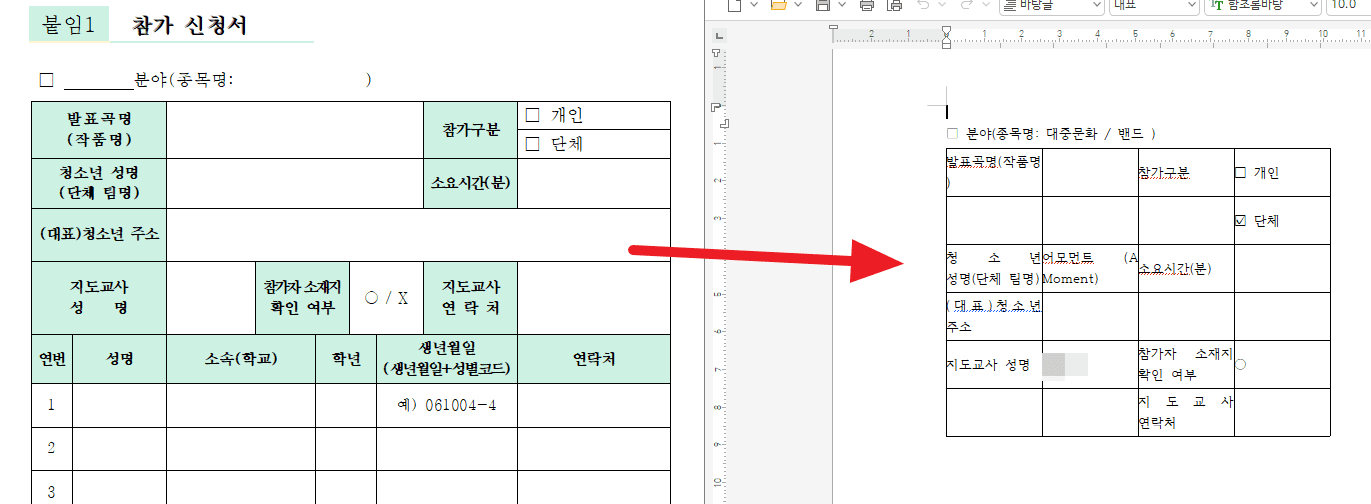
Then I tried issuing a command like the one below.동아리 정보를 바탕으로 신청서 작성해줘.
When I did this, it wrote an application form like the one below.
The content was solid enough to submit, but the formatting still wasn’t in place.
5. Thoughts
I tried handling official documents using various AI tools and libraries.
With the advent of structured formats like HWPX, the potential for automation has certainly increased compared to before.
But the limitations are still clear.
HWP-based documents are structurally unfavorable for automation and are not a format well-suited for AI to understand reliably.
I once saw a line in an article saying, “We shouldn’t criticize Japan for developing a stamp that can be put on a screen.”
I feel the same way.
Will we continue to maintain a Galápagos-like ecosystem in order to protect domestic software?
Or will we accept a document system based on international standards?
It’s now time for the public sector to seriously grapple with this question.






댓글을 불러오는 중...