Following IndexNow, I decided to automate things with Google as well.
After some digging, I found that Google provides something called the Web Search Indexing API.

1. Scope

Officially, this API only supports job postings and streaming video services.
It’s meant to create indexes for content where real-time updates are important, but from what I’ve seen, pretty much all kinds of regular blogs are sending requests too.
2. Setting up the API in Cloud Console and Search Console
Google has kindly provided an API library specifically for indexing.
Don’t bother reinventing the wheel, just use it as-is.
To use this library for site indexing, you first need to set up authentication.
Go to the URL below and create a service account.
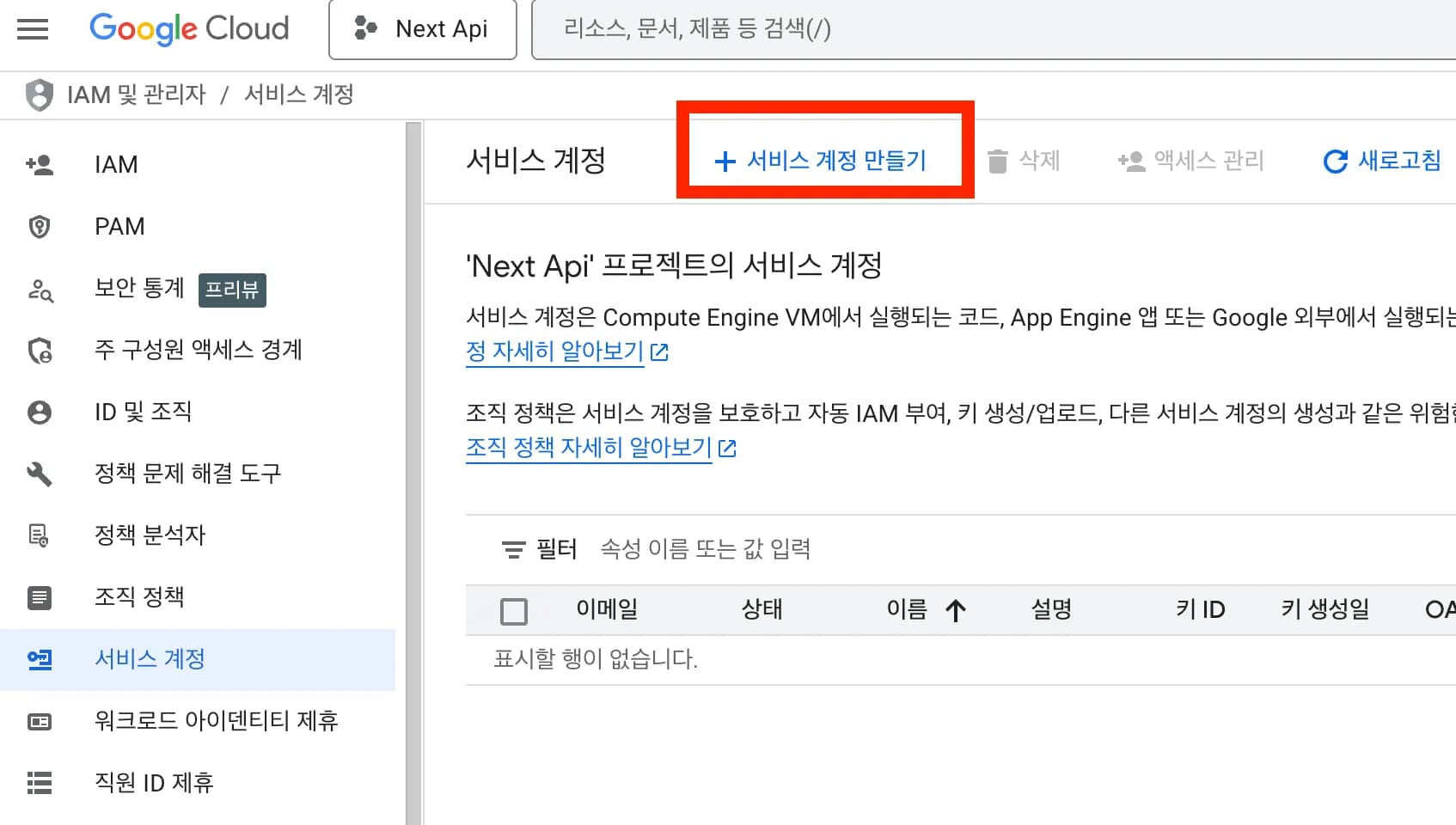
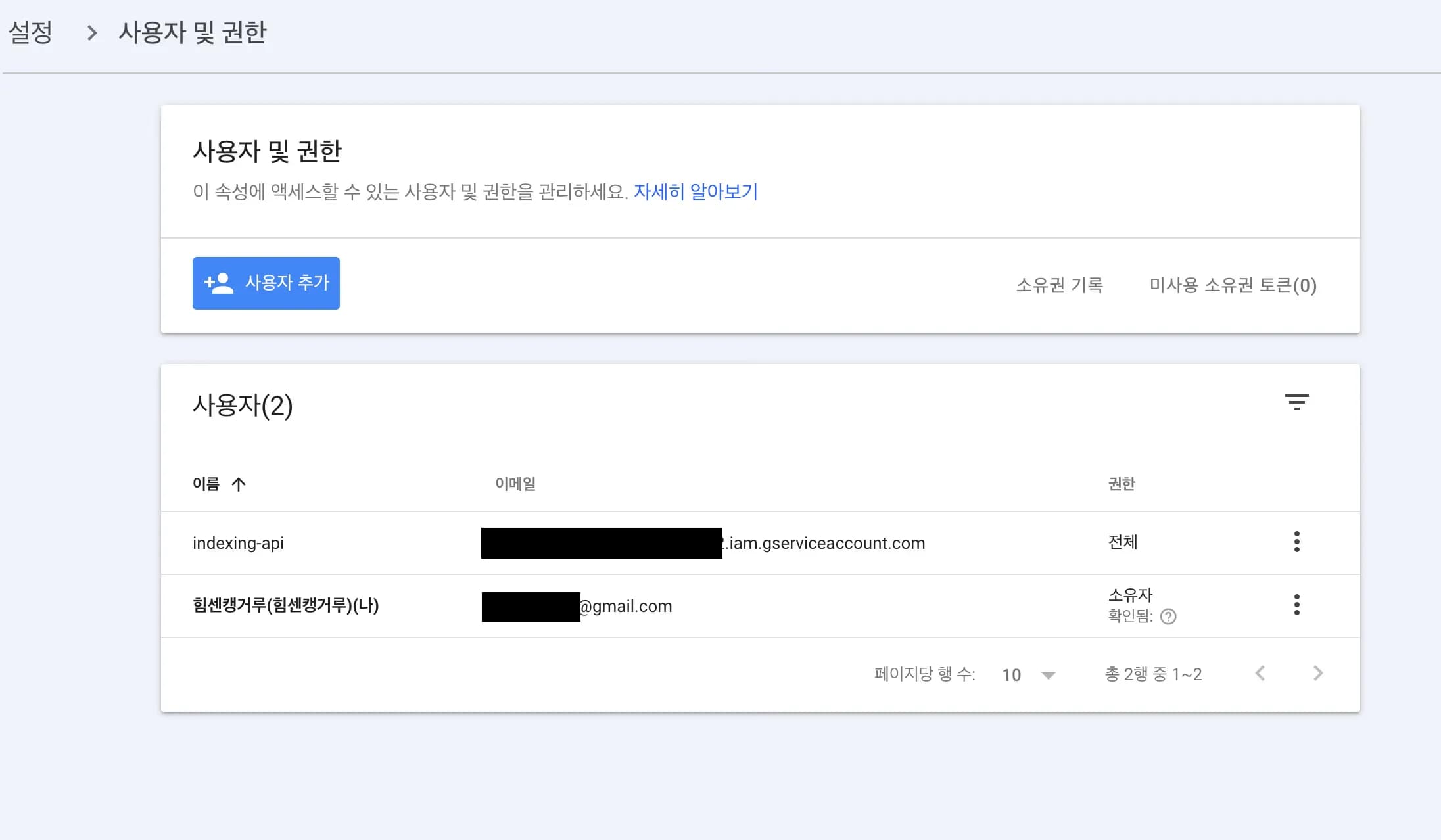
Then take that account’s email address and add it under Settings -> Users and permissions in Search Console.
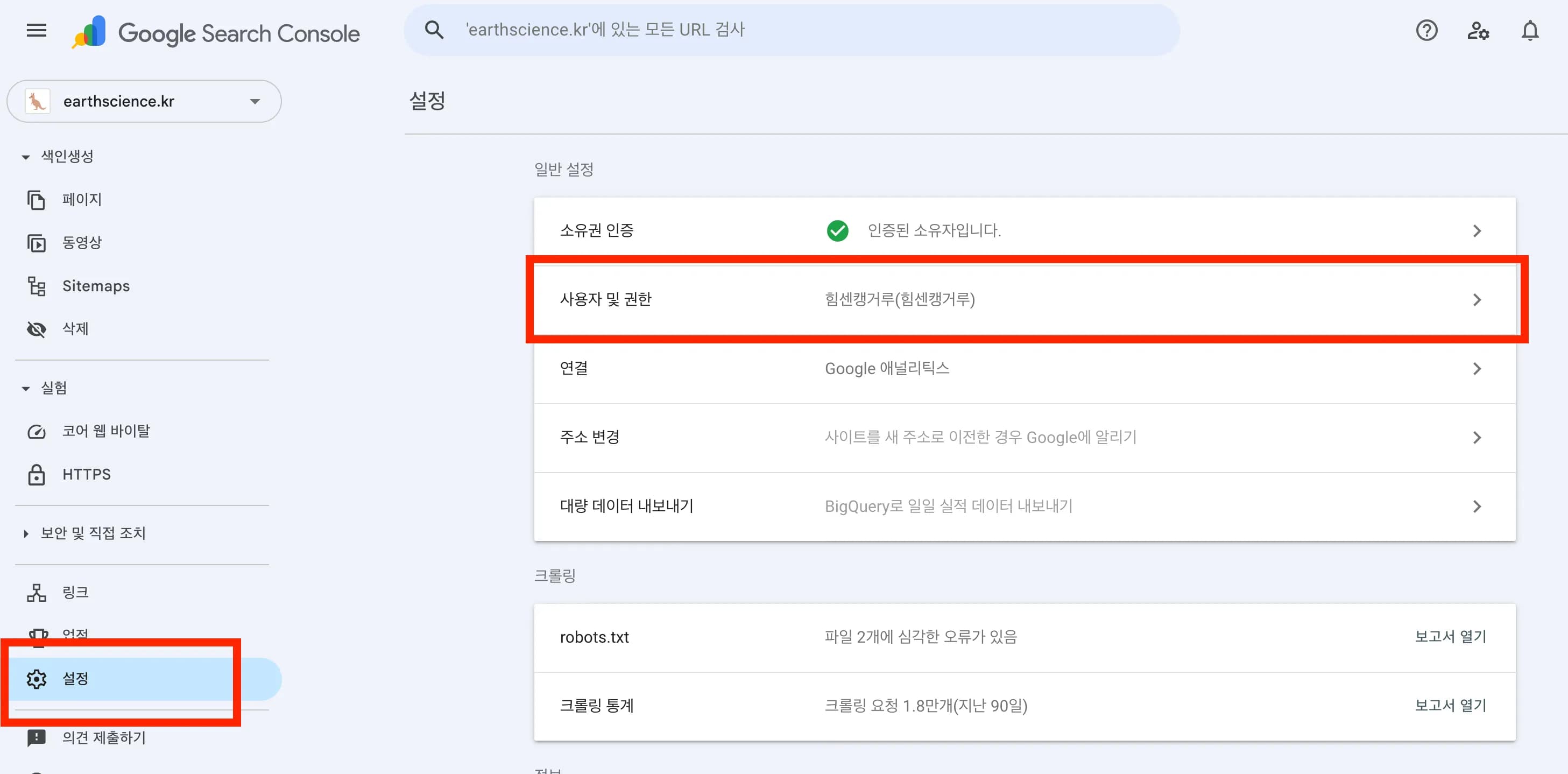
In the screenshot below the permission is set to Full, but you must register it as an Owner.
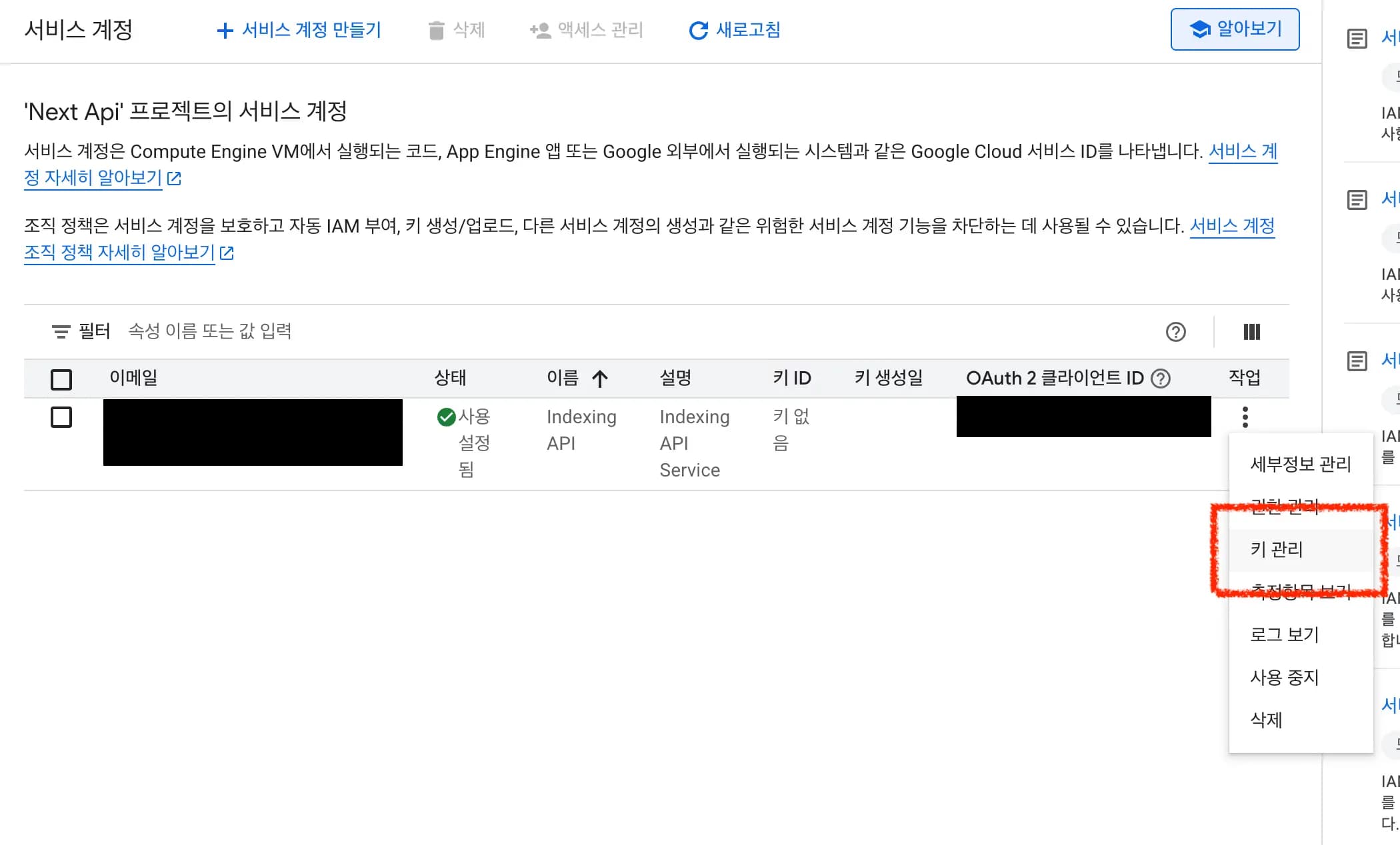
Then go back to the service account and issue a JSON key; that’s pretty much all the prep work done.
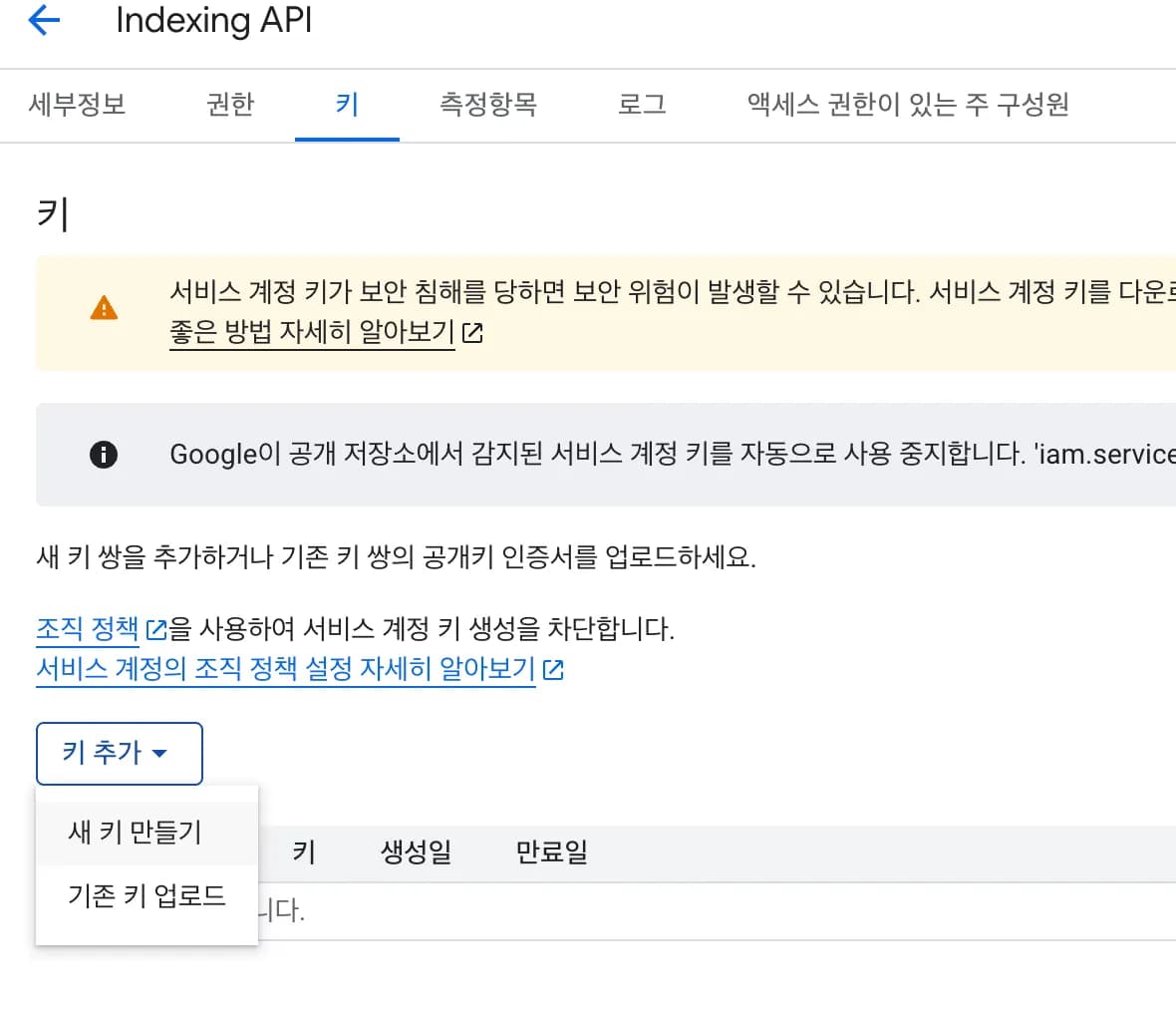
3. Sending requests from the server
I put this together using the code at the very bottom of the Prerequisites section of the official docs.
You can feel big bro GPT’s touch here as well.
import key from "@/utils/seo/다운받은json.json";
import { google } from "googleapis";

type IndexingType = "URL_UPDATED" | "URL_DELETED";

export async function publishIndexing(url: string, type: IndexingType = "URL_UPDATED") {
  const jwtClient = new google.auth.JWT({
    email: key.client_email,
    key: key.private_key,
    scopes: ["https://www.googleapis.com/auth/indexing"],
  });

  await jwtClient.authorize();

  const indexing = google.indexing({ version: "v3", auth: jwtClient });

  const res = await indexing.urlNotifications.publish({
    requestBody: { url, type },
  });

  return res.data;
}
Now I’ve applied this, together with IndexNow, to each API endpoint.
From here on, as long as I write a post, registration happens automatically.
I checked the debugging console, and it’s working well.
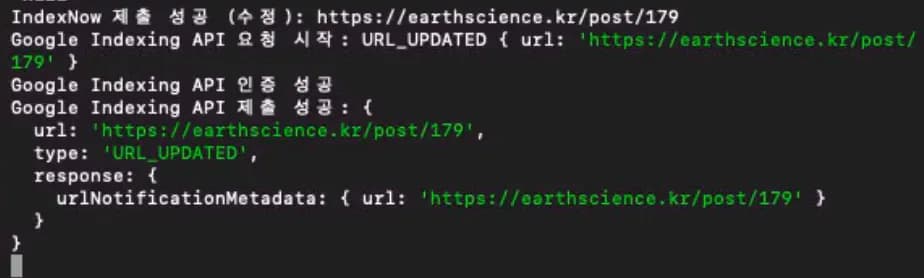
4. Thoughts
Running a personal, custom-built blog comes with a lot to think about.
Security issues, hacking, building new features, and so on…
When I think about it, just installing WordPress and buying a few modules would definitely be easier on the mind, but there’s also a certain joy in building things one by one like this.
I want to keep creating many more features in the future.





댓글을 불러오는 중...