If I had to pick the most meaningless, exhausting, and boring task at school, I would choose checking student records.
In middle school, the student record isn’t that important, but in high school it’s extremely important because it is directly related to college admissions.
The problem is that what we look for in these record checks are merely simple typos, banned expressions, spelling, and so on.
This article starts from the following question.
Isn’t it about time we let AI handle the simple checks?
1. Limitations of Generating Student Records with AI
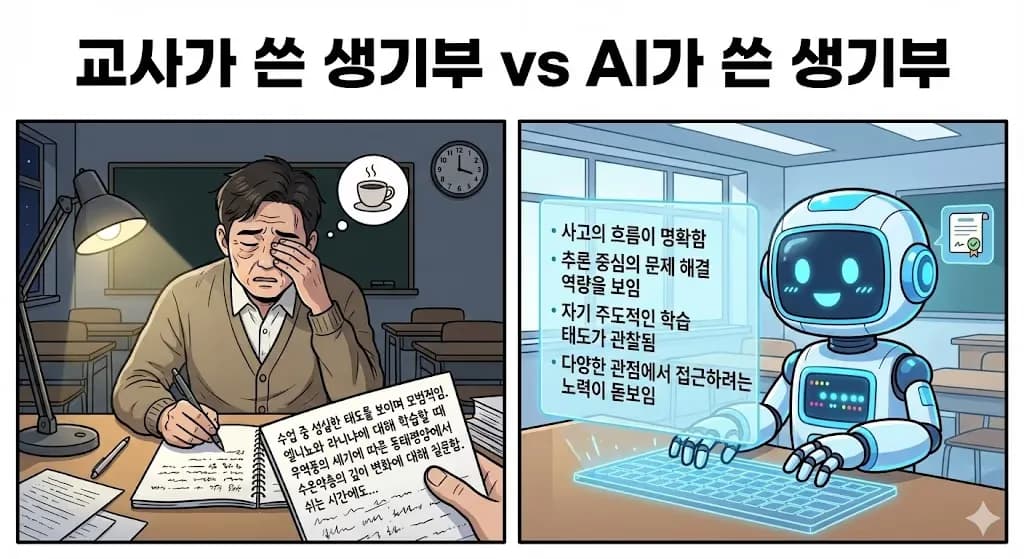
High school teachers all know this: student records written by hand and those written by AI have a completely different style.
Especially these days, with the current admissions trend, it’s popular to write in a way that connects concrete observations with the teacher’s evaluation. If you leave it to AI, you get sentences like the ones below.
Carried out the process of checking conditions and setting up equations faithfully while solving problems, and showed a tendency to check calculation results.
Showed a tendency to explain with supporting grounds during equation transformations or graph interpretation, and made the flow of thought leading to the result relatively clear. Demonstrated inference-centered problem-solving competency.
Showed efforts to distinguish between calculation errors and conceptual misapplications, and improved accuracy in solving similar problems through repeated practice.
Pays attention to expressions in the text to infer meaning, and expands thinking by connecting it with personal experiences.
The hallmark of AI-written text is that it makes it hard to know concretely what the student actually learned or gained.
For example, descriptions like flow of thinking, inference-centered problem-solving competency, and expands thinking don’t clearly convey what the teacher actually wants to say.
And phrases like ~a tendency to ~ was observed also sound very awkward.
These aspects end up forcing teachers to handwrite student records.
So teachers end up mostly looking for typos, double spaces, and banned expressions.
2. Is It Impossible with chatGPT or NotebookLM?

Of course, you can check student records using general web-based LLMs as well.
The problem is that there are limits on input length, and as the conversation goes on, the model forgets the initial prompt.
So you run into the issue that you have to re-enter the original prompt from time to time.
In that case, couldn’t we just input the prompt as if every conversation were the first and then run the checks?
3. Data Cleaning
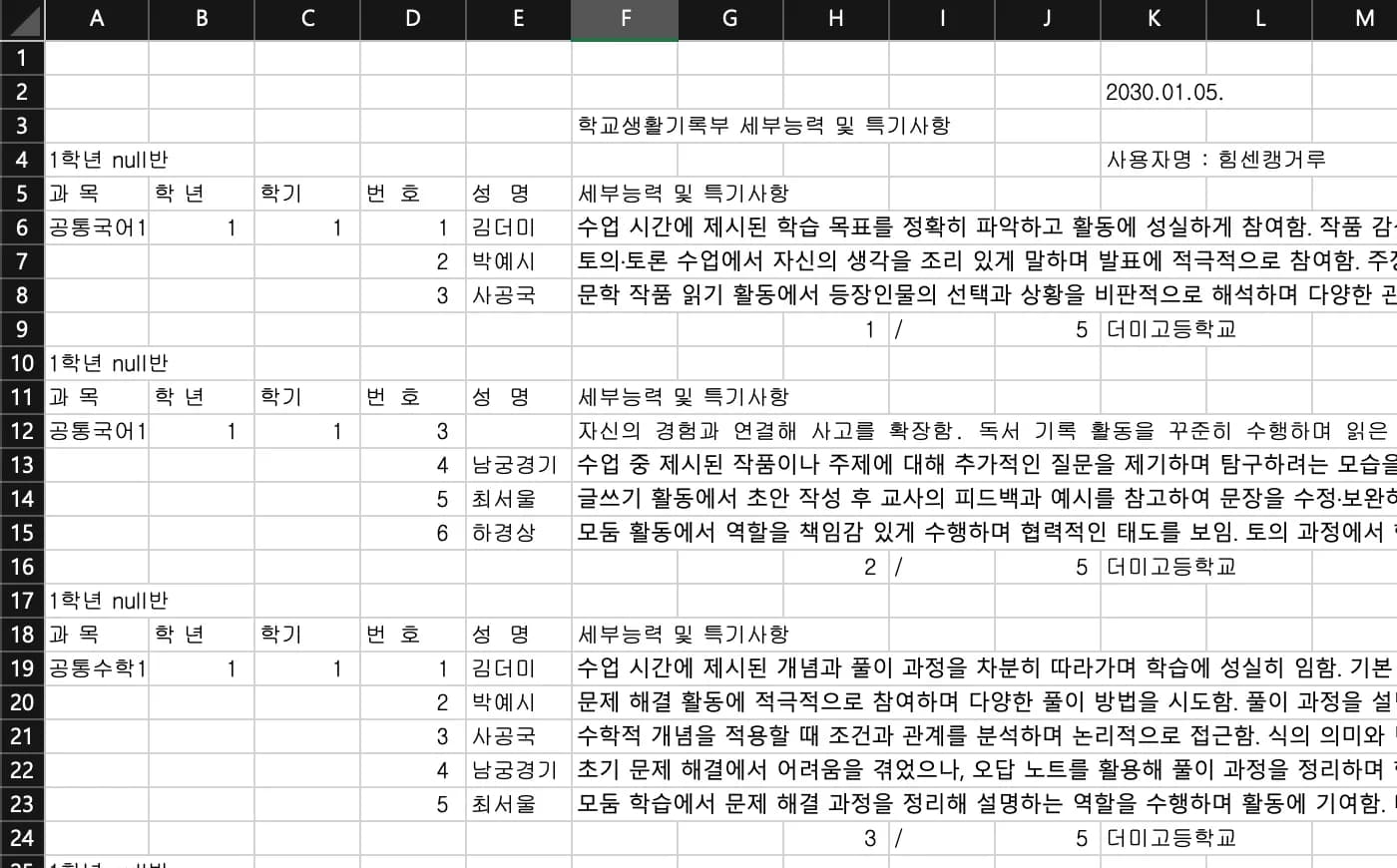
The biggest obstacle to automating this kind of student record analysis is the work portal.
The picture above is a mock-up replicating the data format you get when you download student records from NEIS.
I’ve uploaded an example link below.
The data format is truly the worst of the worst.
Now you have to label each row with subject, semester, number, etc., and merge columns that are split, such as August and column 12.
Then you delete page headers and repeated tables of contents.
I’ve added comments to explain the code.
import pandas as pd
from pathlib import Path

# 먼저 폴더 생성해 줌
cwd = Path.cwd()

resultFolter = cwd / "result"
resultFolter.mkdir(exist_ok=True)
targetFolder = cwd / "target"

# 타겟 폴더안의 .xlsx 파일을 for문으로 돈다.
for file in targetFolder.glob("*.xlsx"):

	# 일단 4줄 뛰어넘고, 쓸데없는 null행과 열들은 잘라낸다.
    df = pd.read_excel(file, skiprows=4)
    df = df.iloc[:, :6]
    stNumCol = [i for i in df.columns if "번" in i][0]
    subjectNmae = [i for i in df.columns if "과" in i][0]
    df.drop(df[df[subjectNmae] == subjectNmae].index, inplace=True)
    df.dropna(subset=stNumCol, inplace=True)
    df.reset_index(drop=True, inplace=True)

	# 열을 돌면서 비어있는 행들을 모두 채워준다.
    dropRowIndex = []
    for i in range(len(df)):
        rowSubNmae = df.iloc[i, 0]
        rowGrade = df.iloc[i, 1]
        rowClass = df.iloc[i, 2]
        rowStNum = df.iloc[i, 3]
        rowStName = df.iloc[i, 4]
        rowInnerText = df.iloc[i, 5]
        if i == 0 :
            continue
        if pd.isna(rowSubNmae):
            df.iloc[i, 0] = df.iloc[i - 1, 0]
        if pd.isna(rowGrade):
            df.iloc[i, 1] = df.iloc[i - 1, 1]
        if pd.isna(rowClass):
            df.iloc[i, 2] = df.iloc[i - 1, 2]
        if pd.isna(rowStNum):
            df.iloc[i, 3] = df.iloc[i - 1, 3]
	# 만약 글이 쪼개져 있으면 두 행의 내용을 합쳐주고 하나는 지운다.
	# 굳이 dropRowIndex를 만들어 추가한 다음에 지우는 이유는
	# for문이 실행되는 동안 df의 길이변화가 일어나지 않도록 하기 위함이다.
        if df.iloc[i, 3] == df.iloc[i-1, 3]:
            dropRowIndex.append(i)
            df.iloc[i-1, 5] = df.iloc[i-1, 5] + df.iloc[i, 5]
    df.drop(dropRowIndex, inplace=True)
    df.reset_index(drop=True, inplace=True)
    df.to_excel(cwd / "교과세특 학년별 과목별_정제.xlsx", index=False)
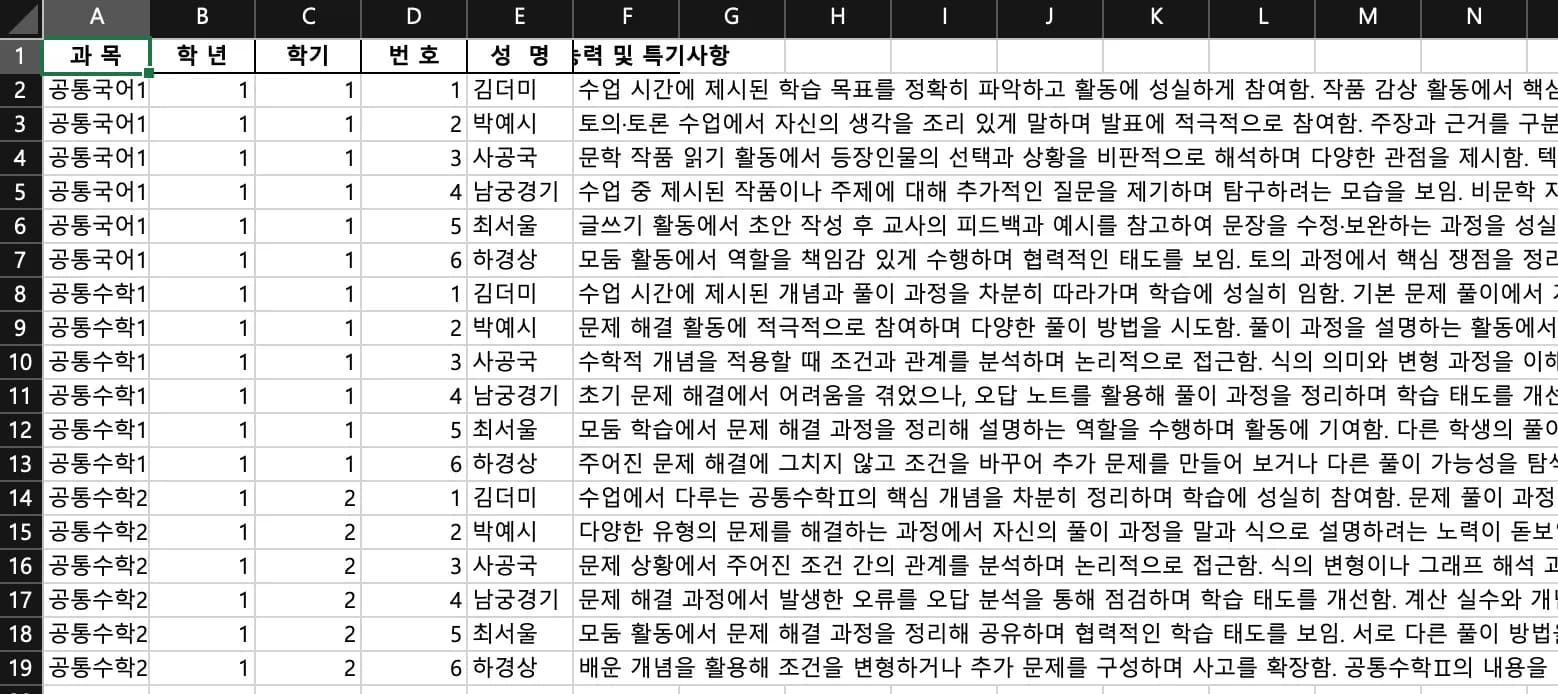
After this first round of cleaning, the data becomes as neat as shown below.
Now we can use this to send a review request to the AI.
4. Extracting the Prompt

Because the basis of all checking is the prompt, this is the part of the entire design that requires the most care.
The most reliable way is to download the guidelines for filling out student records in PDF form from the internet and build your prompt from that.
Download the file from the site above and ask the AI to create a prompt focusing on the parts you want it to check.
Then use that prompt to make an API request.
Here is part of the prompt.
prompt = """
너는 학생부 세부능력 및 특기사항 검수 전문가다.
입력 JSON 데이터 중 “세부능력 및 특기사항(세특)” 항목만 점검하시오.

[기재 유의어 → 대체 표현 치환 규칙]

다음에 해당하는 경우, 표준 대체 표현으로 반드시 수정한다.

- Google(구글), NAVER(네이버), Daum(다음) 등 → 포털사이트
- Google Classroom(구글 클래스룸), EBS 온라인클래스 등 → 학습 플랫폼 / 원격 학습플랫폼

...중략...

[예외적 허용 항목 — 아래는 수정하지 않음]
- 단순 지명, 국가명, 산업명(학교 특정·진학 연계가 불가능한 경우)
- 교육부/교육청 등 공교육기관 명시
- 교내 수행평가·지필평가의 “정량 미제시” 성취 표현
- 수업 중 개념/원리 학습(예: Z점수 개념 이해, 반도체 공정 원리)
- 일상생활 경험(아르바이트 등)이 학습 연결 맥락일 때
- 일반 공간(아파트 등) 언급
- 미래형 포부/계획(‘가고 싶다’, ‘탐색 중’, ‘꿈꾸고 있다’)
- 독서 제목 및 저자 / 인용문 (‘ ’ 사용 가능)
- 단순 정보 제공이나 개념 학습의 수치(예: 최저임금 1만원, GDP 성장률 2%)는 금지 항목이 아님.

[판정 기준]
- “과거형 실적”이면 수정
- “미래 포부/계획/탐색”이면 유지
- 반드시 앞, 뒤 문맥 기반으로 판단할 것
"""
5. Code
You can find simple examples on the official OpenAI website.
You can either base your work on the code below or use AI to do “vibe coding” and build your API requests.
I thought it would be cleanest to receive the AI’s response not in natural language, but in table form.
After checking student records and sharing the results with colleagues, the messages generally take the following form.
Subject | Student number | Name | Before revision | After revision | Reason for revision |
|---|---|---|---|---|---|
Earth Science I | 10100 | Sagong Him-sen | ~을 함으로써 | ~을 함으로서 | Particle correction |
Biology II | 10300 | Namgoong Kangaroo | 학생 으로 수업 중 | 학생으로 수업 중 | Spacing correction |
You just need to force the response into a format like this.
The problem is that if you try to review all subjects at once, the token length becomes too long.
To prevent this, split the content by subject, organize the responses with pandas, and then save everything at once.
# 먼저 파일을 과목별로 묶어 jsonDtat로 만든다.
data = df[df["과 목"] == sub]
jsonData = data.to_json(orient="records", force_ascii=False)

# AI에게 응답을 강제하도록 구조를 설계한다.
response = client.responses.create(
    model="gpt-5.2",
    input=[{
        "role": "user",
        "content": [
            {"type": "input_text", "text": prompt},
            {"type": "input_text", "text": jsonData}
        ]
    },
    ],
    text={
        "format":{
            "type": "json_schema",
            "name": "response_format",
            "strict": True,
            "schema": {
                "type": "object",
                "properties": {
                    "rows": {
                        "type": "array",
                        "items": {
                            "type": "object",
                            "properties": {
                                "subjectName": {"type": "string"},
                                "studentName": {"type": "string"},
                                "before": {"type": "string"},
                                "after": {"type": "string"},
                                "edit": {"type": "string"},
                                "editReason": {"type": "string"}
                            },
                            "required": ["subjectName", "studentName", "before", "after", "edit", "editReason"],
                            "additionalProperties": False

                        }
                    }
                },
                "required": ["rows"],
                "additionalProperties": False
            }
        }
    }
)
responseJson = json.loads(response.output[0].content[0].text)["rows"]
After sending a request like this once and organizing the response, you can see something like the following.

6. Iterative Prompt Refinement
Now that the basic framework is in place, you can keep iterating and refining the prompt.
I supplemented the output rules and decision criteria and entered all the expressions that require special care, to get more detailed output.
7. User Experience
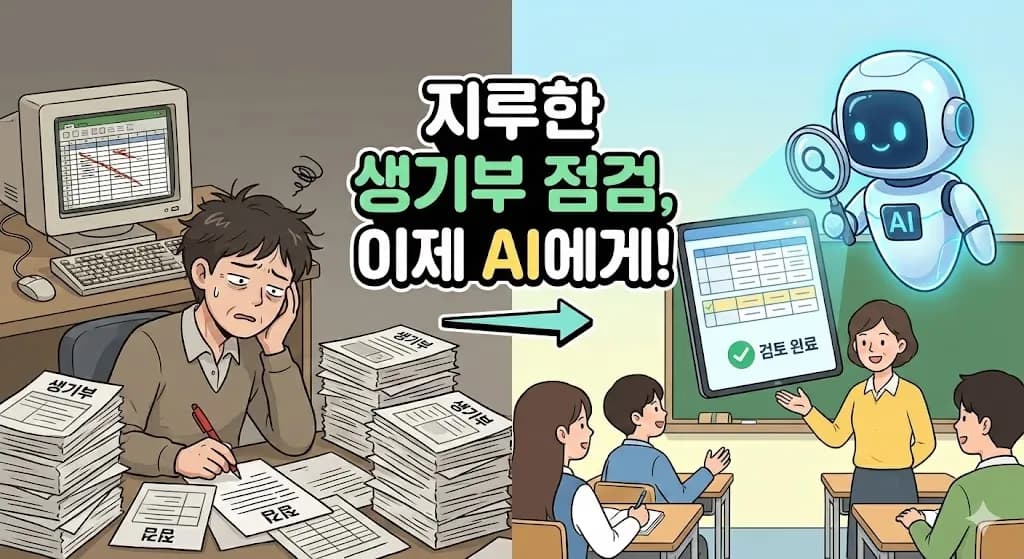
Above all, the accuracy is exceptional.
Doing the checks this way resolved almost all of the typos and spacing issues.
In one subject, it even found and corrected content describing overseas volunteer experience.
Since the guidelines for student records change every time, it’s not easy for teachers to remember everything.
And I honestly don’t really understand what student record writing has to do with the quality of education in the first place.
By gradually reducing this sort of busywork for teachers, I can only hope that a day will come when we can focus a little more on actual education.


댓글을 불러오는 중...