Barely a day after setting up a reverse proxy with nginx, I saw the image below.

No way... Is the era of nginx over?
I couldn't stand it.
I decided to migrate back to caddy.
1. What is caddy?
Caddy is a modern web server and reverse proxy server written in Go.
It's popular thanks to its simple configuration, automatic HTTPS, and fast performance.
According to chatgpt, the comparison is as follows.
Item | Caddy | Nginx |
|---|---|---|
🛠️ Configuration Complexity | Very Easy ( | Medium to Difficult ( |
🔐 HTTPS Support | Automatic issuance and renewal (Let's Encrypt) | Manual setup required (certbot, etc.) |
🚀 Installation and Execution | Single executable file, ready to use | Package installation required, execute after setup |
📦 Default Features | Reverse proxy, static files, authentication, redirection, etc. built-in | Various features but some require module installation |
🔧 Configuration Flexibility | Basic structure is intuitive; some limits in complex routing | Highly flexible configuration (but complex) |
📈 Performance | High performance (includes HTTP/3 support) | High performance (proven with large-scale traffic) |
📋 Documentation and Community | Small but rapidly growing | Very large and mature community |
⚙️ Purpose of Use | Fast deployment, simple HTTPS, developer-centric | Advanced setup, complex infrastructure operations |
Anyway, I only assign ports with reverse proxy.
In that regard, caddy seemed more convenient.
2. Migrating from nginx to caddy
They say Roman soldiers burn the ships they arrive on before going to war.
With that spirit, I removed nginx first and started.
With a homepage visited by less than 100 people a day, it doesn't matter much.
brew uninstall nginx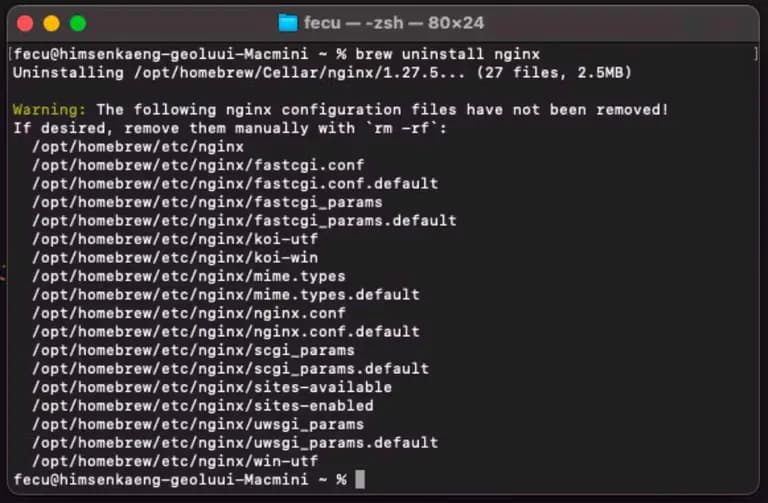
Then I deleted unnecessary folders inside /opt/homebrew/etc.
You can remove them with the command below.
sudo rm -rf /opt/homebrew/etc/nginx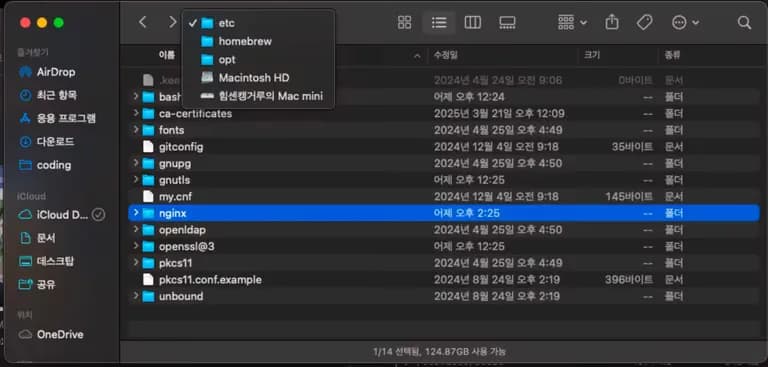
Immediately installed caddy and set up the Caddyfile, but it didn't work well.
It turned out that I didn't stop the nginx service, so it occupied the port even after removal.
Those reading this, don't make the same mistake, check the ports before installing caddy.
Check the ports with the command below.
lsof stands for List Open files and -i means internet.
lsof -i :80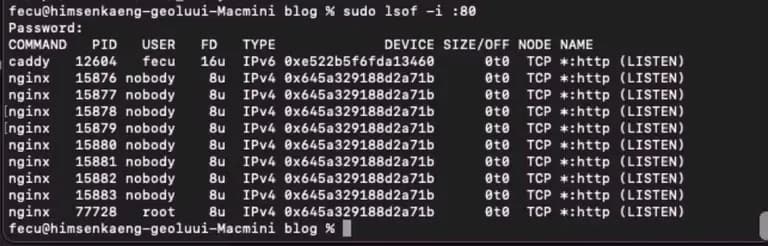
Having wasted 2-3 hours on this, how foolish I am...
Even stopping the port wasn’t working, so I resorted to the universal pain relief—rebooting.
Then I created a file called Caddyfile inside the /opt/homebrew/etc folder.
Note that no extension is needed.
sudo touch /opt/homebrew/etc/Caddyfile
open /opt/homebrew/etc/Caddyfile
This opens the Caddyfile in a text editor.
Enter the following content here.
example.com, www.example.com {
    reverse_proxy localhost:3000
}
Enter the desired domain for example.com.
If there are two domains, separate them with a comma.
Anyone who has used nginx knows the setup is insanely simple.
Then start the caddy server.
brew services start caddy
This way, it even issues a certificate miraculously.
Since it can auto-renew, that's one less worry for the future.
3. Review
When I first started with next.js, most articles used server.js for https setup.
Why didn't they introduce caddy...?
Installing nginx or caddy seems like a far better method than others.
I'm planning to write a short article about this.






댓글을 불러오는 중...