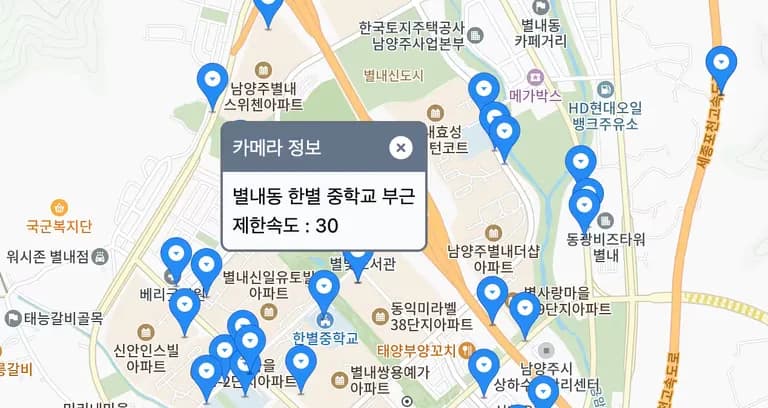
There are days like this.
'Did I just speed past a speed camera?'
However, it was hard to find the exact locations of the speed cameras.
So, I decided to create something.
1. Gyeonggi Public Data

Since I mostly travel within Gyeonggi-do, I decided to use Gyeonggi Public Data.
When I accessed it, I found an example already implemented using the Kakao Map API.
It might look like this when completed.
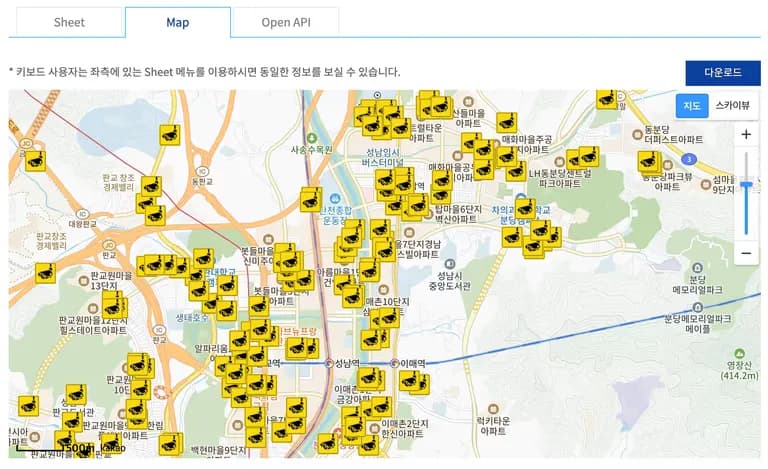
In the data, I noticed that the cameras are not only for speeding but for various violations.
Types include 01: Speed, 02: Signal, 03: Traffic Violation, 04: Illegal Parking, 99: Others, totaling 5 types.
Now, as it's TypeScript, I need to specify a return type...
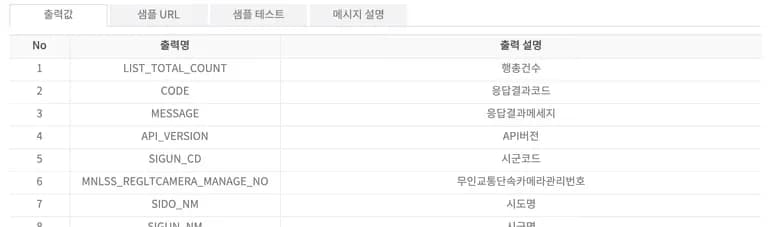
There were a total of 24 output values? So many unnecessary ones.
First, I downloaded a JSON file and used Ruiten to output the type.
AI is really helpful.
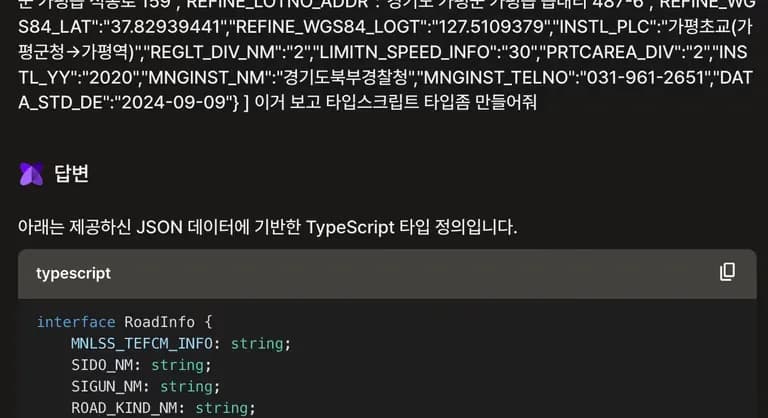
interface cameraDataType {
  MNLSS_TEFCM_INFO: string;
  SIDO_NM: string;
  SIGUN_NM: string;
  ROAD_KIND_NM: string;
  ROUTE_MANAGE_NO_INFO: string | null; // Allowing null since there could be empty values
  ROUTE_NM: string;
  ROUTE_INFO: string;
  REFINE_ROADNM_ADDR: string;
  REFINE_LOTNO_ADDR: string;
  REFINE_WGS84_LAT: string;
  REFINE_WGS84_LOGT: string;
  INSTL_PLC: string;
  REGLT_DIV_NM: string;
  LIMITN_SPEED_INFO: string;
  PRTCAREA_DIV: string;
  INSTL_YY: string;
  MNGINST_NM: string;
  MNGINST_TELNO: string;
  DATA_STD_DE: string;
}
By defining the type like this, I will read the JSON file and display it on the map.
Since speed cameras don't just mushroom up everywhere, this implementation should suffice as an exercise.
2. Kakao Map API
Now it's time to set up the basics for using the Kakao Map API.
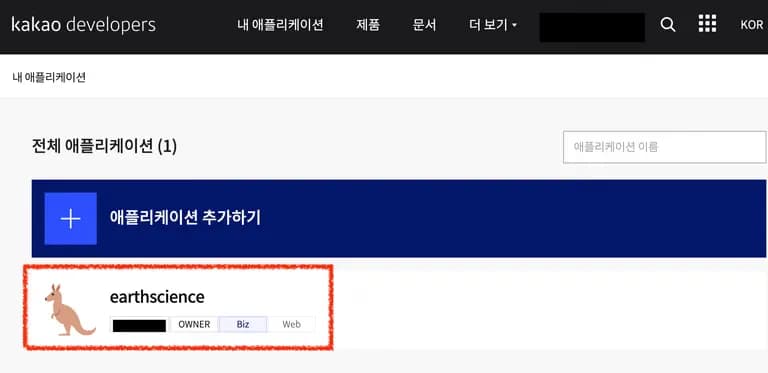
Go to Kakao Developers.

Then go to your application.
If you don't have an application, create one.
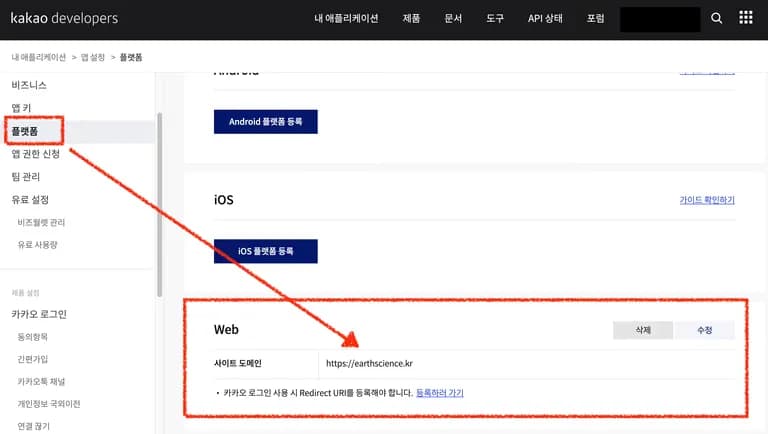
Register the platform.
By default, the API is restricted to domains registered here.
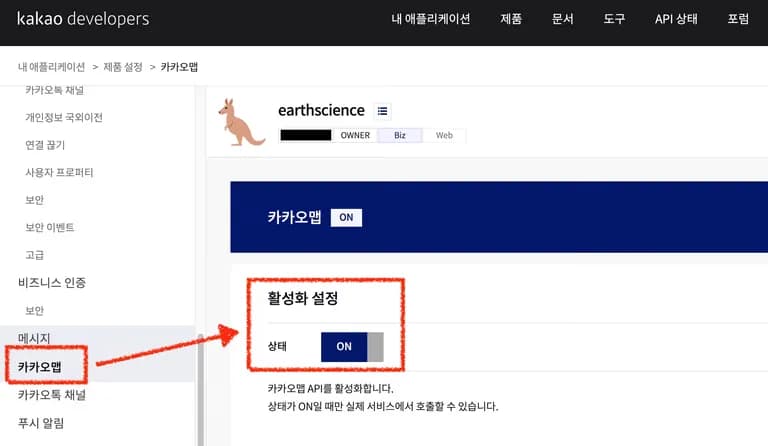
Then go to Kakao Map and activate the settings.
Finally, check your API key.
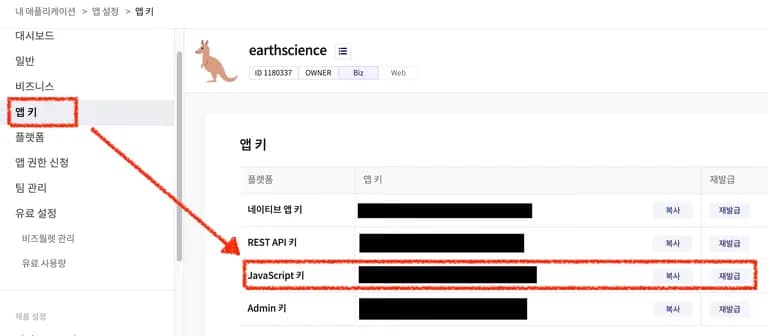
Now copy this key into your .env file.
Since it's a key that needs to be set public for exposure anyway, it doesn't matter if you hardcode it into JavaScript.
3. Implementing Map with Kakao Map API SDK
I was eager to make it, so I decided to use the Kakao Map library I found on GitHub.
I've linked to JaeSeoKim's GitHub.
First, let's install the library.
yarn add react-kakao-maps-sdkThe library supports various types internally. Set it like this in tsconfig.json.
{
  ...,
  "compilerOptions": {
    ...,
    "types": [
      ...,
      "kakao.maps.d.ts"
    ]
  }
}
If there's a typeRoots, it won't work.
In that case, set it up like this.
{
  "compilerOptions": {
     ...
    "typeRoots": [
      "./node_modules/kakao.maps.d.ts/@types"
    ]
     ...
  }
}
With the basics ready, let's make a component to fetch the Kakao Map.
If the Map is called before the script is fully loaded, it will cause an error.
So, I checked the script status with onReady and displayed the map only after loading.
"use client";

import { Map, MapTypeControl, ZoomControl } from "react-kakao-maps-sdk";
import { useEffect, useState } from "react";
import { cameraCustomOverlay } from "@/types/allTypes";
import Script from "next/script";

export default function KakaoMapPage({
  data,
}: {
  data: cameraCustomOverlay[];
}) {
  const [scriptLoad, setScriptLoad] = useState(false);

  return (
    <div>
      </div>





댓글을 불러오는 중...