While using my MacBook, I noticed that the desktop was not syncing.
So, I decided to document the method for cloud syncing.

1. First, go to [System Settings] ---> [Apple ID] ---> [iCloud].
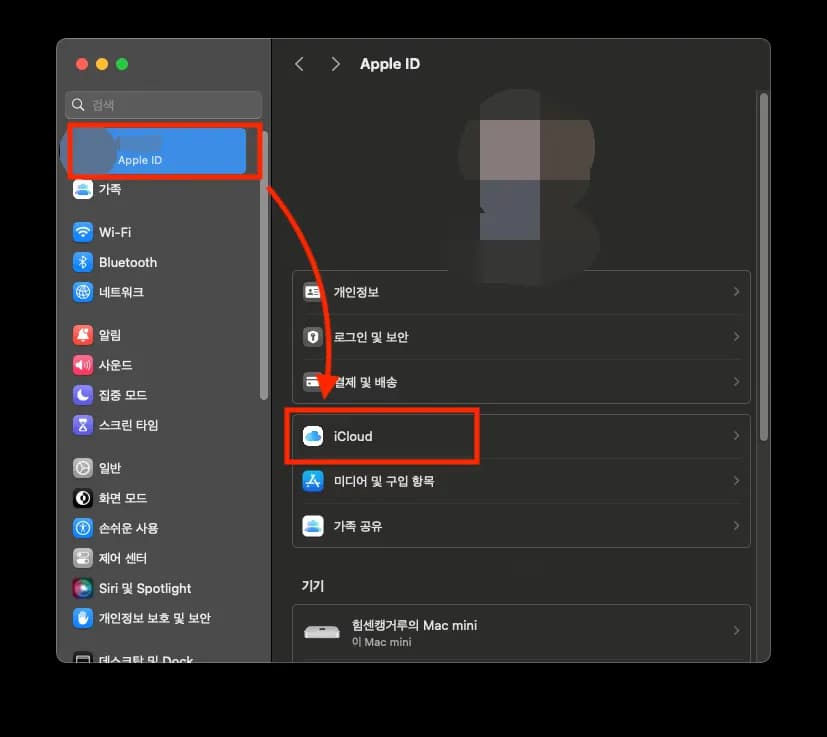
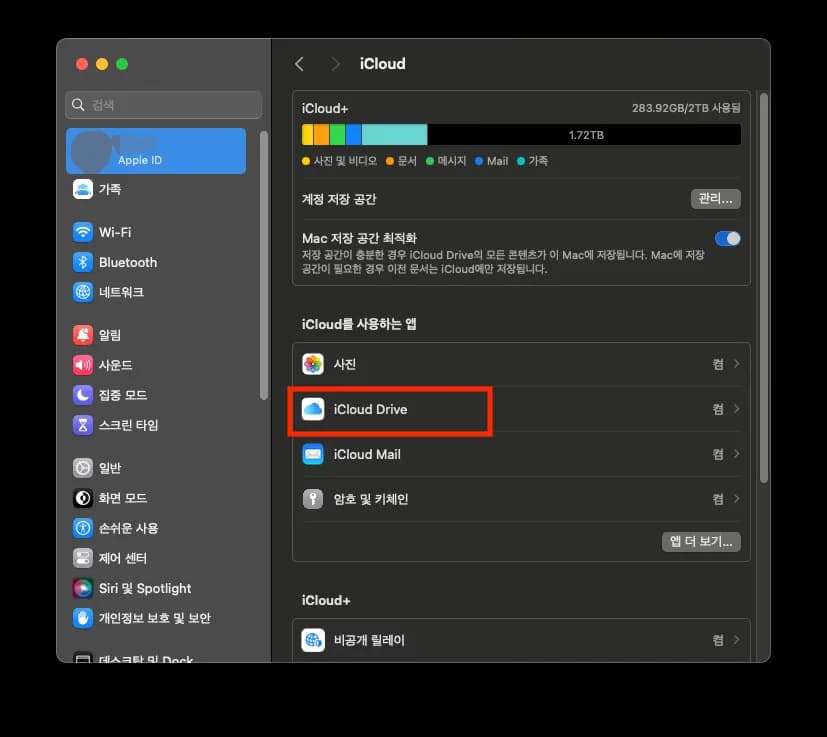
2. After selecting, choose [iCloud Drive] from the list below.
3. Enable [Desktop and Documents Folders].
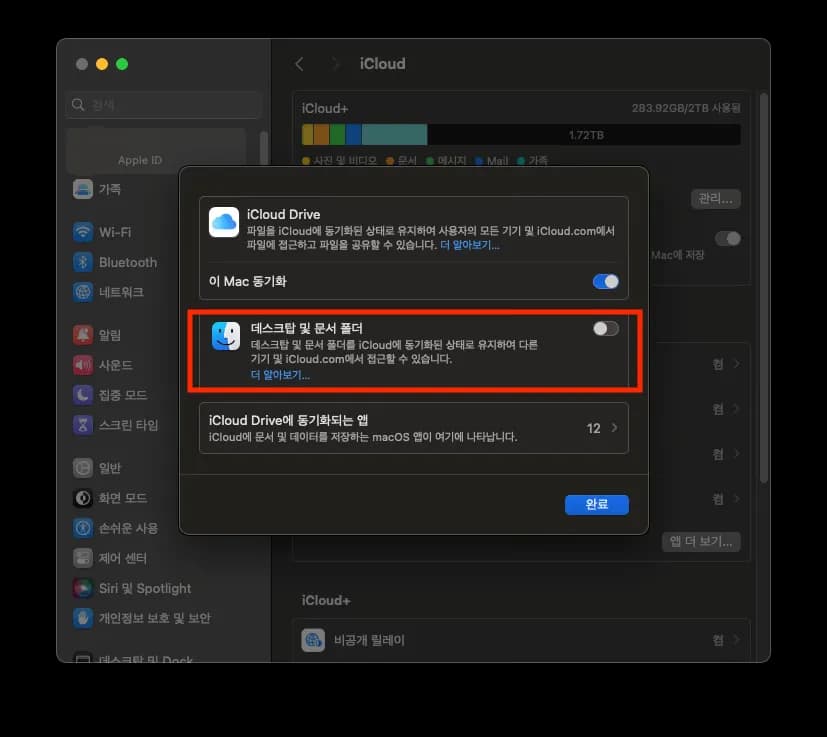
If you want to disable syncing, turn off the corresponding button.
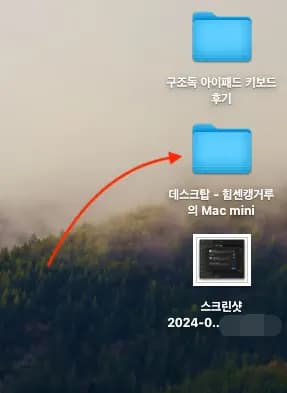
You will see that all existing desktop files have gone into a new folder, and all the existing cloud files have been synced.






댓글을 불러오는 중...