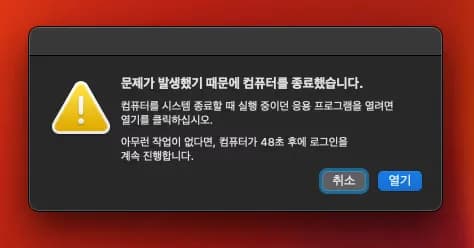
While using Hackintosh, there might be errors due to incorrect settings.
These errors can also appear on genuine Macs.
Here’s how I found solutions.
1. Reinstall OS
Reinstalling Mac OS resolves the issue. Reinstalling the operating system is a cure-all.
2. Delete Error Data
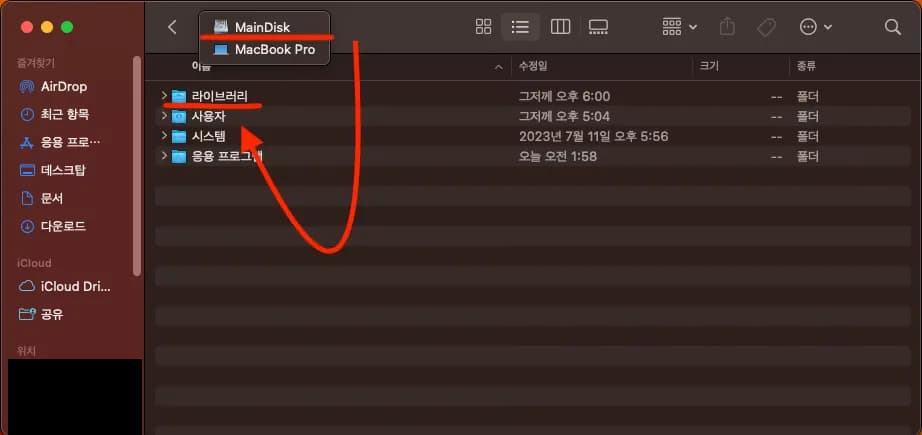
Go into the 'Library' folder from the root.
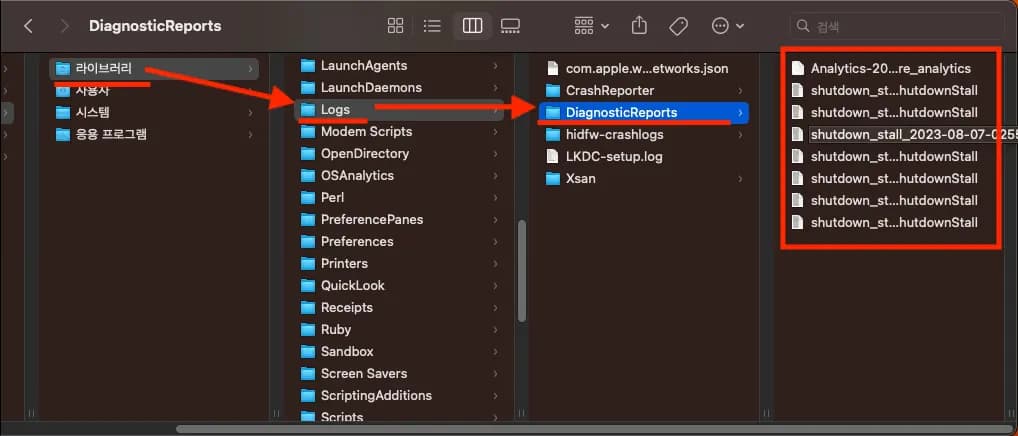
Then delete some files inside the 'Logs -> DiagnosticReports' folder.
Or you can delete them all.
3. Conclusion
I resolved the issue through method 2.
Please comment if there are other methods.





댓글을 불러오는 중...