Today I found a bug on the万能키 website where, when I clicked to generate an End QR, it kept generating a Start QR instead.
After pressing the End QR button, scanning it with the camera, and entering the page, it kept saying that the Start QR’s validity period had expired.
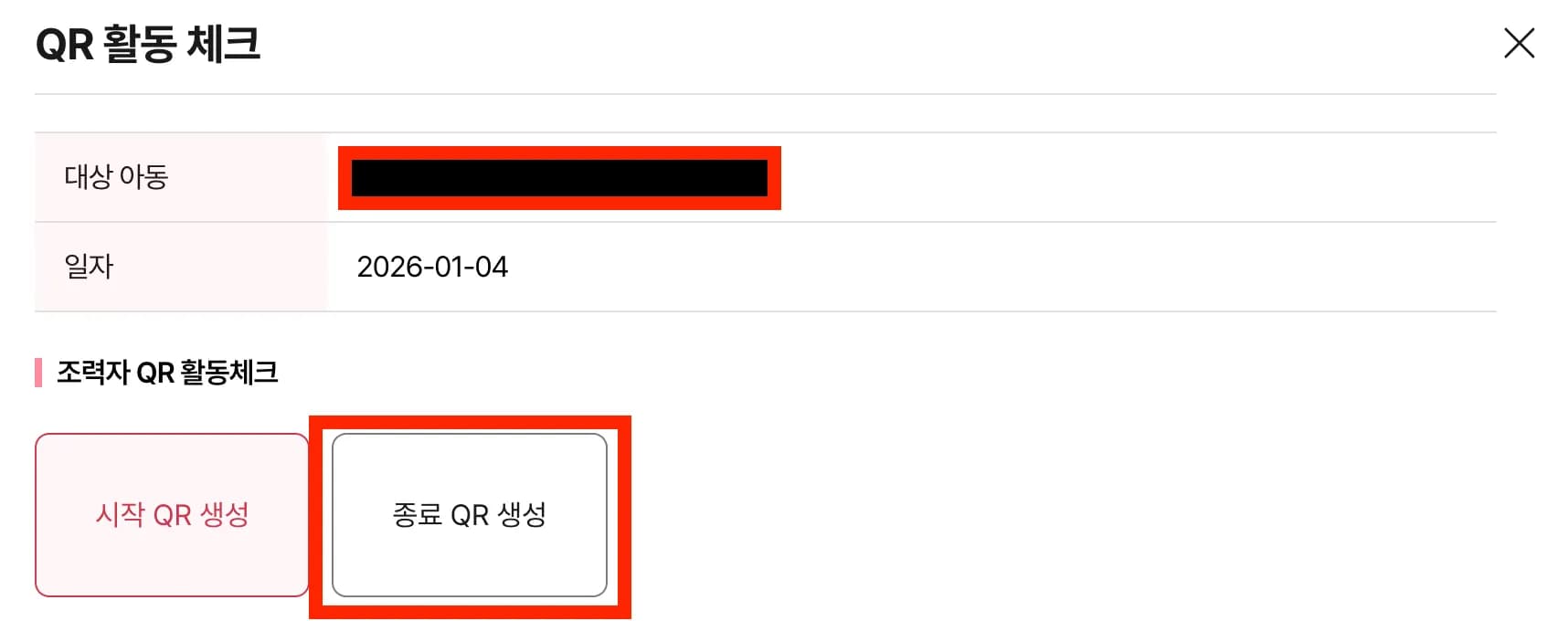
My guess is something got messed up while they were redesigning the website.
1. Principle
Since a QR code is basically just an address (URL), let’s look at the address first.
https://umppa.seoul.go.kr/hmpg/comm/개인식별자/UUID/1/begn/qrActiCheckRegist.do?curDate=20260104The first part is nothing special; focus on the 1, begn part in the path at the end.
That path is for the Start QR, so I figured the End QR path would be end or something similar.
So I briefly checked it in developer mode.
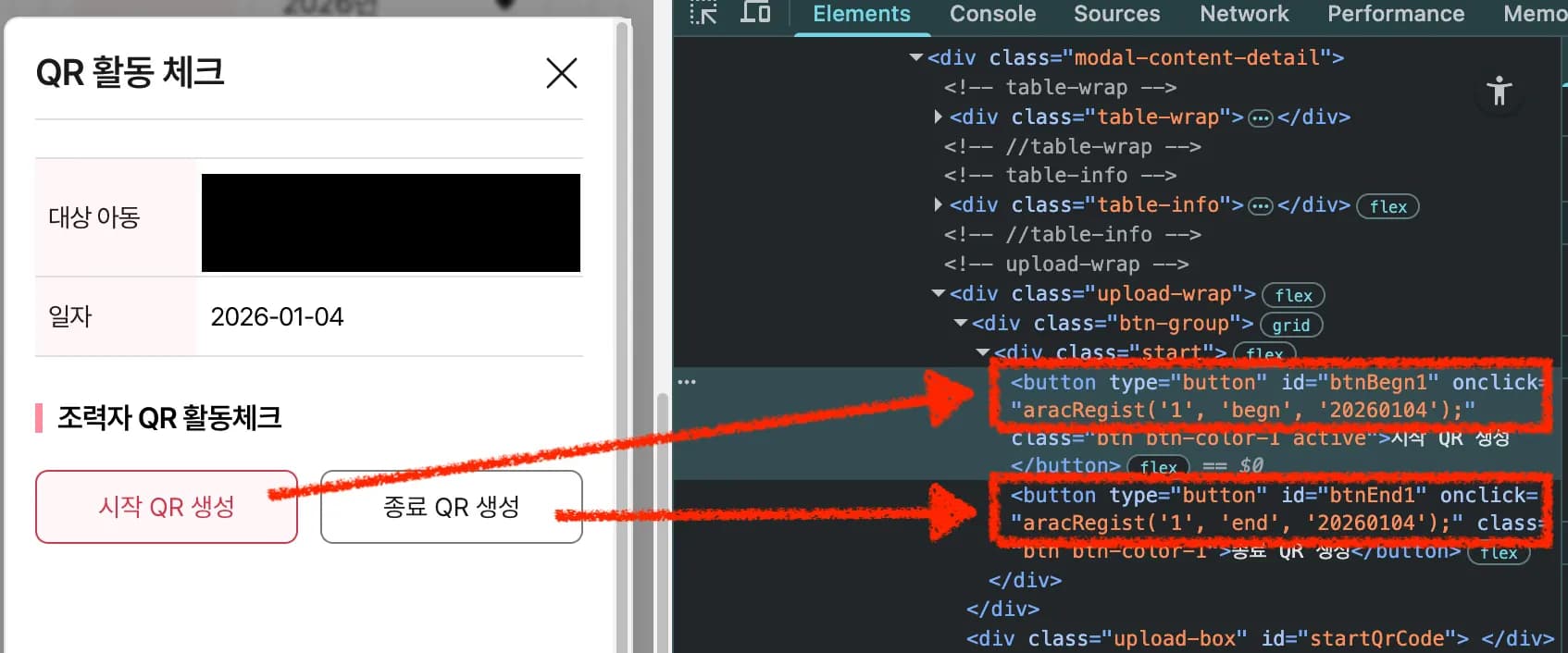
Just by looking at it, it seems obvious that the End button should have 1/end/ in the middle.
But I do wonder if it’s okay to hardcode the parameter that blatantly into the function.
https://umppa.seoul.go.kr/hmpg/comm/개인식별자/UUID/1/end/qrActiCheckRegist.do?curDate=20260104After changing that part of the URL as above and accessing it, the end process worked fine.
2. Summary
When the End QR doesn’t work, after accessing the page, change begn in the middle of the URL to end.
It seems like a bug that occurred during the site’s revamp.
I could understand it for some other button, but having a bug on the Start/End buttons is such a big and obvious mistake that it’s bound to get noticed.
It’s kind of painful because it feels like I’m looking at myself.





댓글을 불러오는 중...