이번에 새로 담임을 맡게 되었는데 학생들 번호를 한꺼번에 저장하고 싶었다.
그래서 google 주소록을 이용하여 한꺼번에 저장하기로 했다!!
나는 구글 주식도 갖고 있는 구글빠니까...
이제 한명씩 저장하던 날들은 이제 안녕...
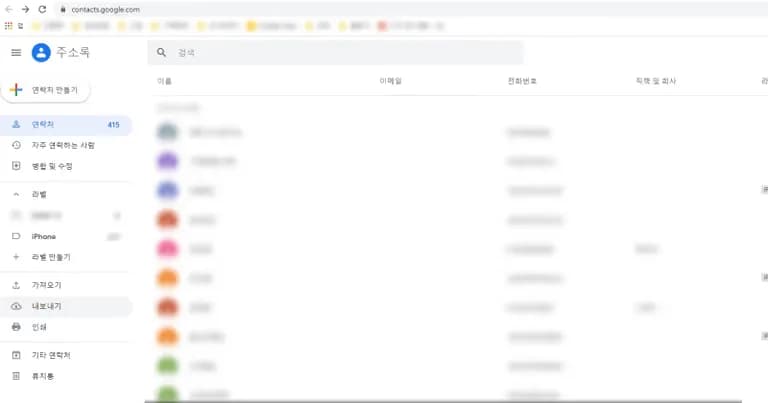
먼저 구글 주소록 접속한 뒤, 주소록 내보내기를 누른다.
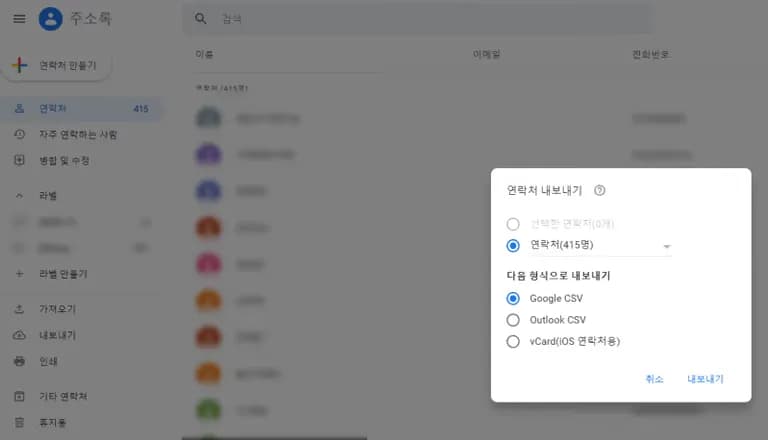
연락처 내보내기를 눌러 편집할 수 있는 형식의 파일로 저장한다.
나는 google CSV로 저장.
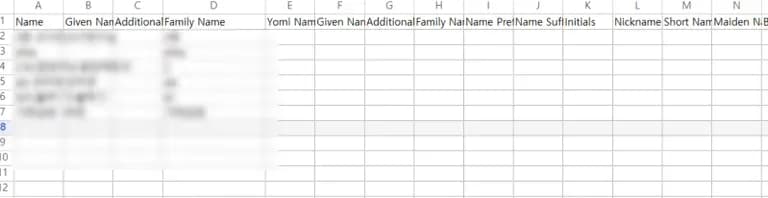
바탕화면에 파일을 선택하면 엑셀처럼 항목이 나온다.
옆으로 쭉 넘기면 번호도 있는데 양식에 맞춰서 입력을 하자.
나는 담임이고 학생들 관리하기 편하게 이름 앞에다가 반을 붙여두었다.
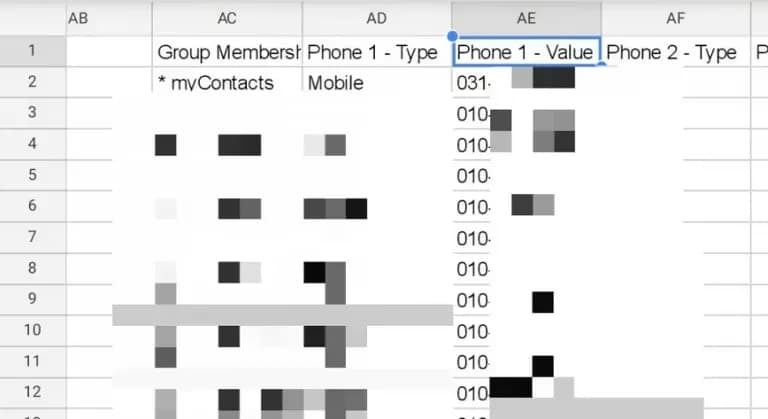
전화번호는 Phone 1 - Value에 입력하면 된다.
다시 구글 주소록으로 돌아와 가져오기를 클릭 해 해당 파일을 가져 오면 5초 안에 구글 주소록으로 전화번호가 입력된다.
가져온 날짜로 태그가 설정된다.
몇초~몇분 정도 기다리면 주소록이 저절로 핸드폰으로 업데이트 됨.
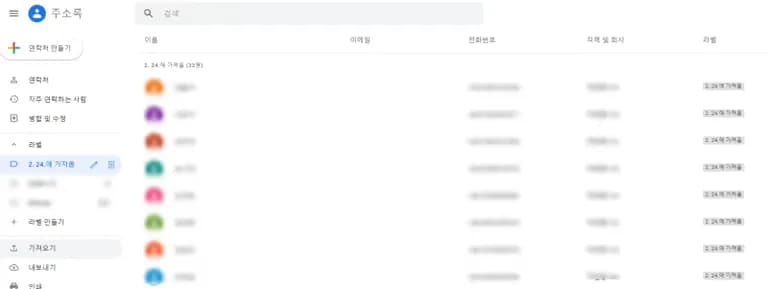
혹시나 전화번호가 업데이트 되지 않는 사람은 병합 및 수정을 통해 수정해주면 된다.
또 저기의 태그는 없애고 싶으면 없애는 것도 가능함.
다들 신학기 잘 맞으시기를!



댓글을 불러오는 중...