인스타그램을 자꾸 들여다보는 시간이 아까워 계정을 잠깐 비활성화 시키기로 했다.
인스타 계정을 비활성화 시키는 방법은 아래와 같다.
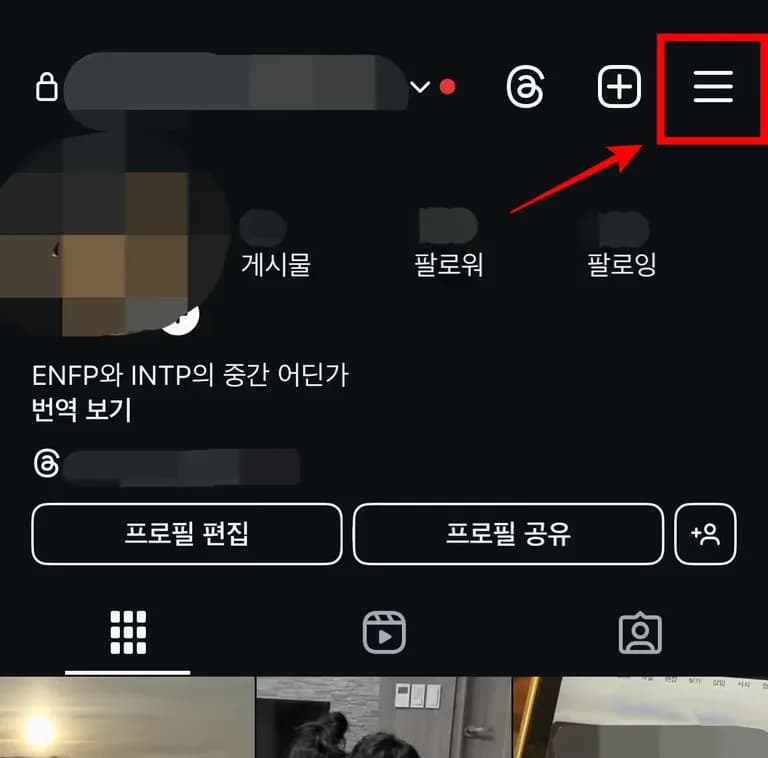
1. 인스타그램 앱에서 오른쪽 상단의 버튼을 누른다.
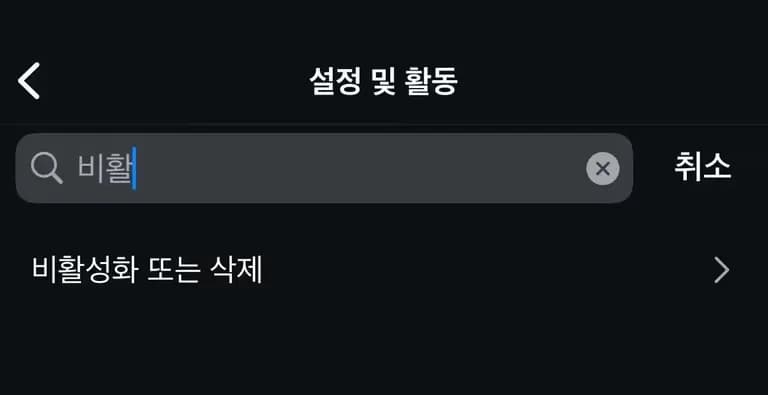
2. 최상단 검색창에서 '비활성화'를 검색한다.
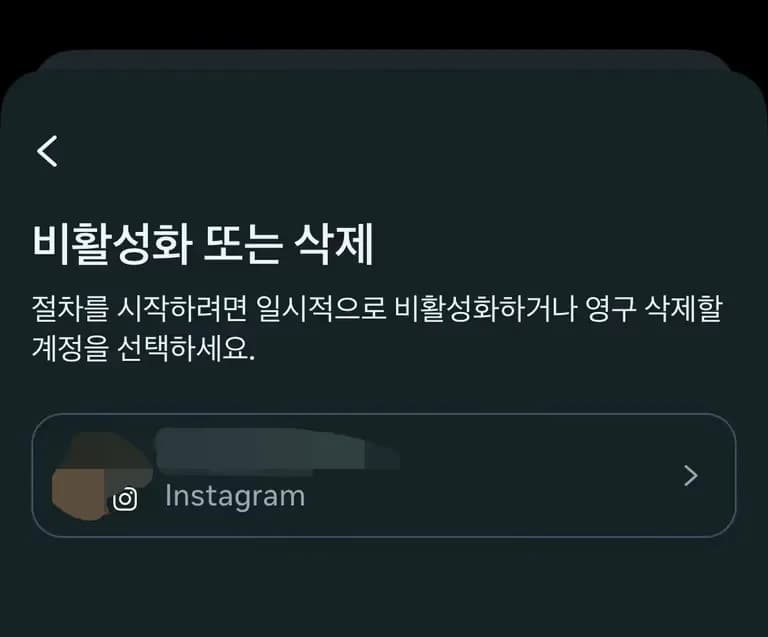
3. 게정 비활성화를 선택하고 로그인한다.
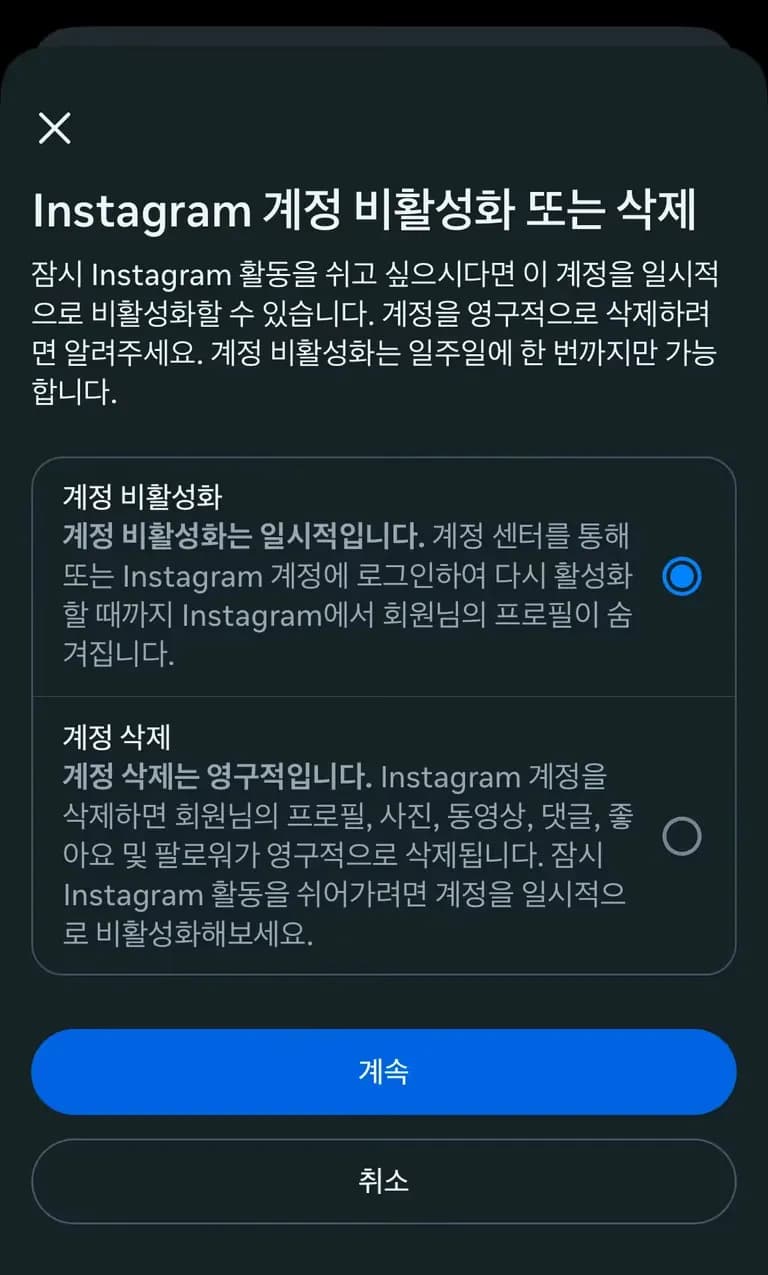

4. 추후 나오는 절차에 따라 계정을 비활성화 한다.
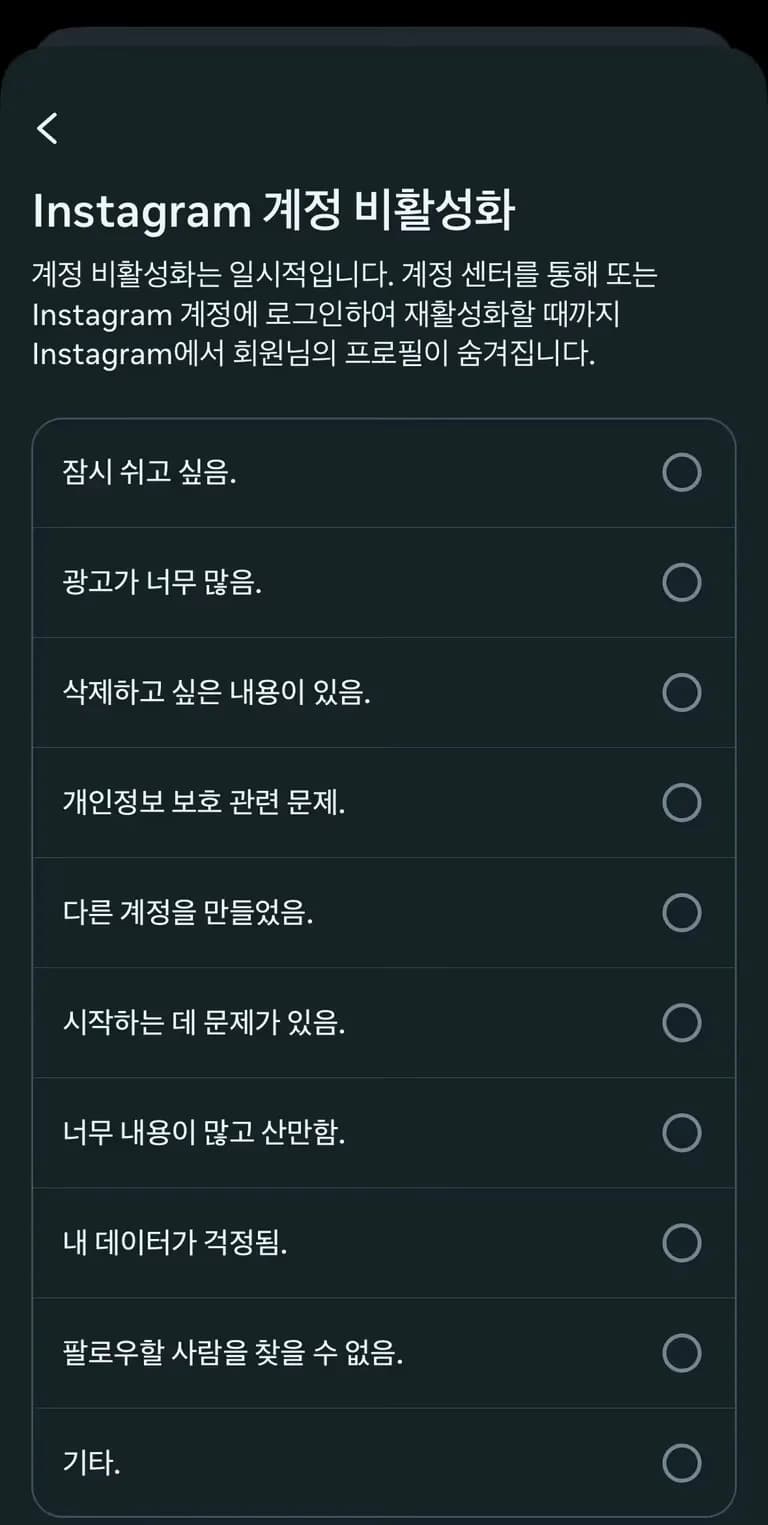
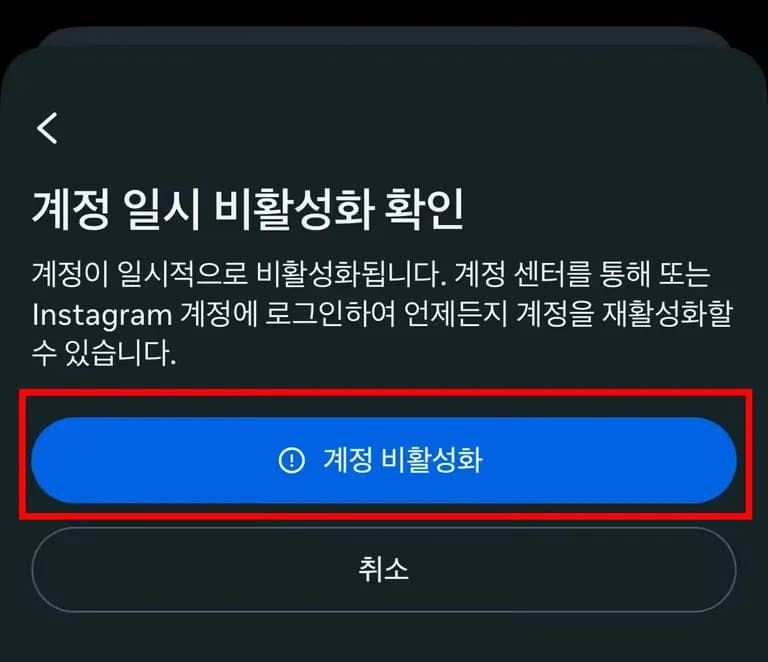
다만, 다시 로그인 할 경우 비활성화가 풀리니 주의하자.
그럼 건투를 빈다.
인스타그램을 자꾸 들여다보는 시간이 아까워 계정을 잠깐 비활성화 시키기로 했다.
인스타 계정을 비활성화 시키는 방법은 아래와 같다.
1. 인스타그램 앱에서 오른쪽 상단의 버튼을 누른다.
2. 최상단 검색창에서 '비활성화'를 검색한다.
3. 게정 비활성화를 선택하고 로그인한다.
4. 추후 나오는 절차에 따라 계정을 비활성화 한다.
다만, 다시 로그인 할 경우 비활성화가 풀리니 주의하자.
그럼 건투를 빈다.





댓글을 불러오는 중...