With SKT’s recent leak of unique SIM information, I decided to at least do something and lock my SIM.
Though apparently it’s not of much use…
I’ll explain based on iPhone.
1. Setting up SIM lock
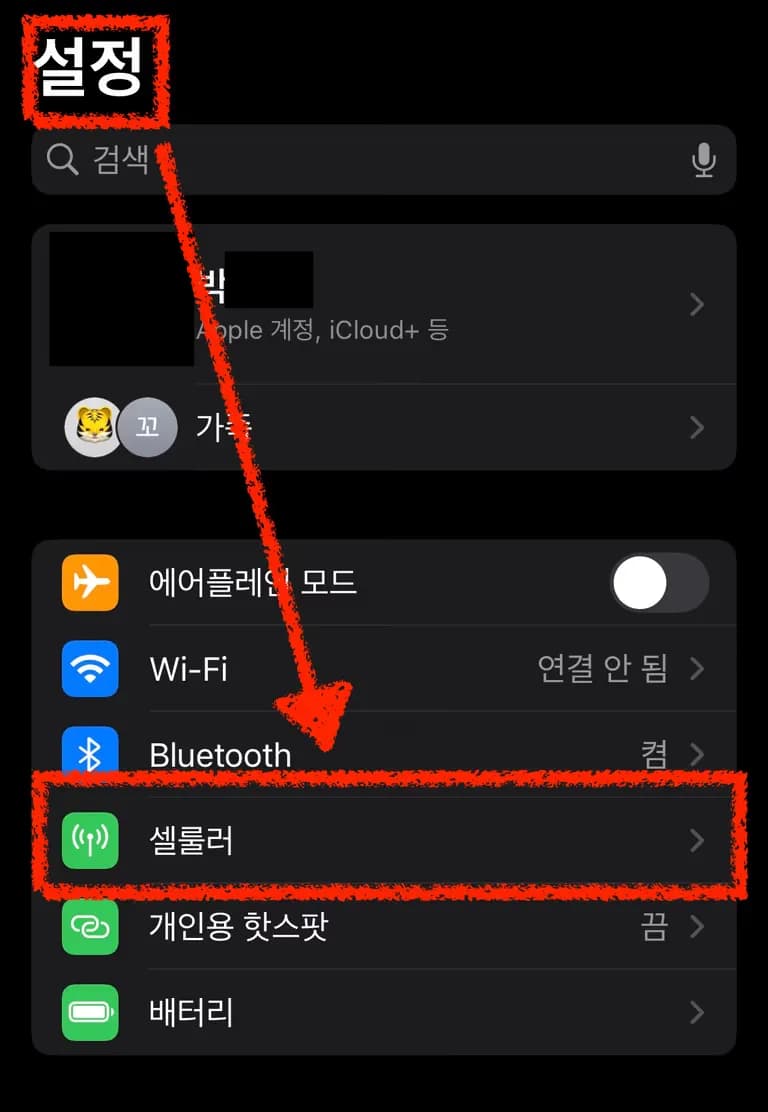
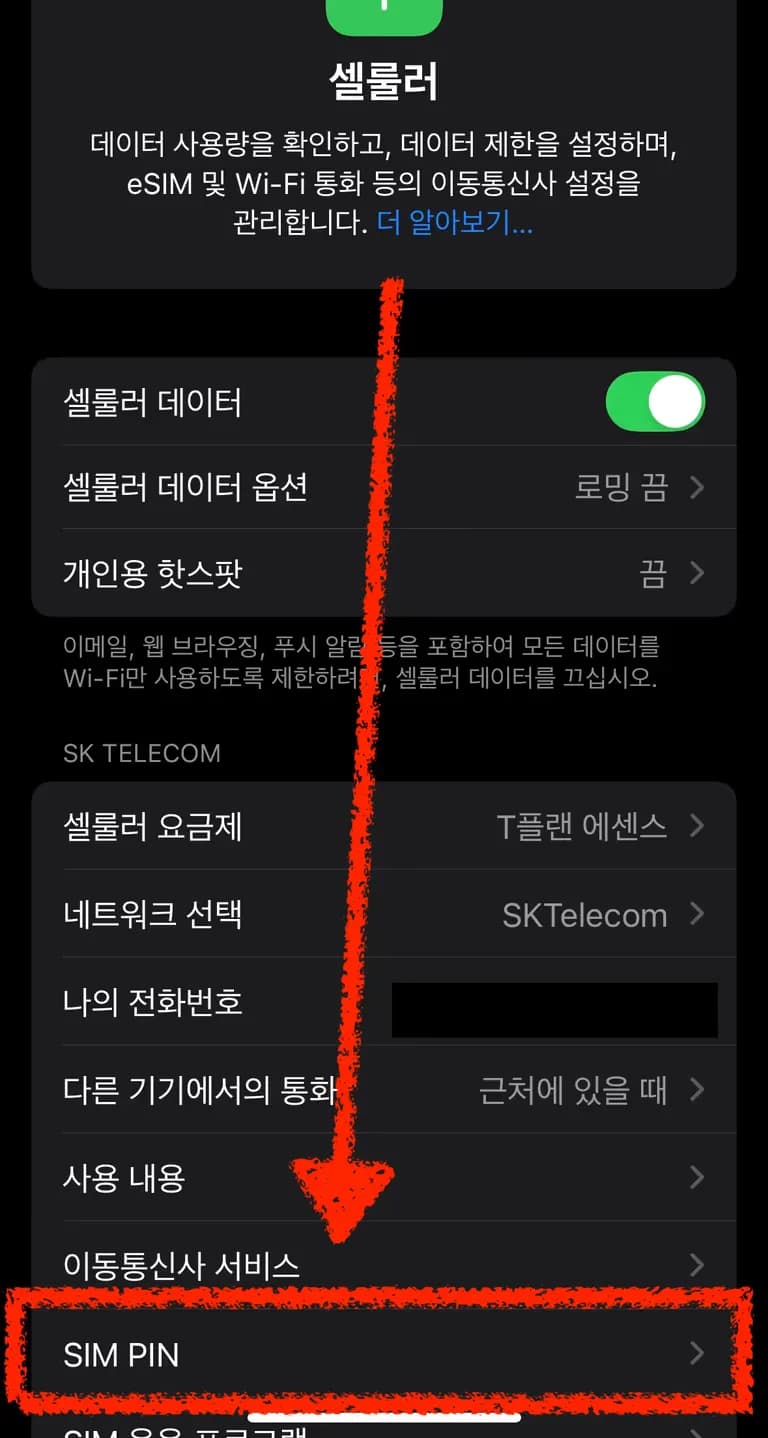
First, go to Settings - Cellular -> SIM PIN.


Then enter your SIM PIN here.


The problem is, if you get it wrong more than three times, the SIM gets locked and it asks for a password called PUK.
At that point, both calls and data become completely unusable.
When that happens, don’t panic—just open your laptop.
2. Getting your PUK password
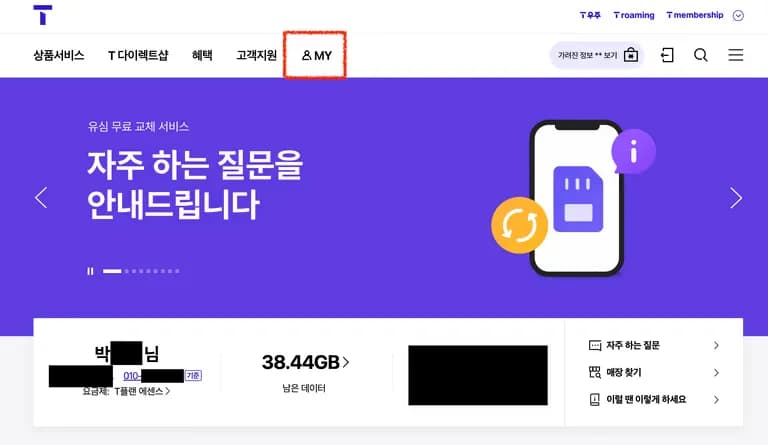
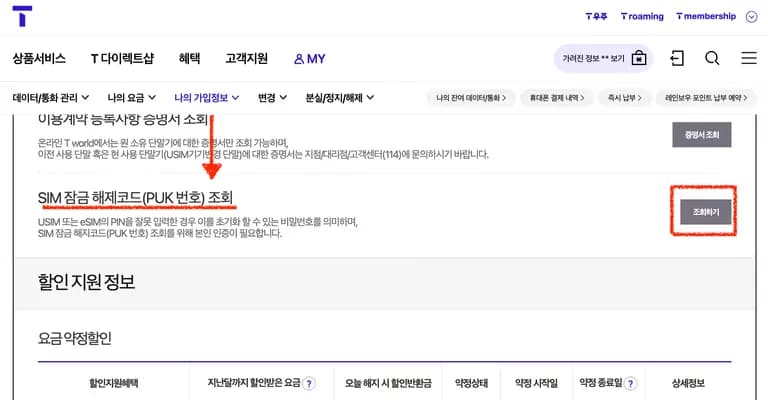
First, go to SK Tworld.
After logging in, go to MY as shown in the red box.

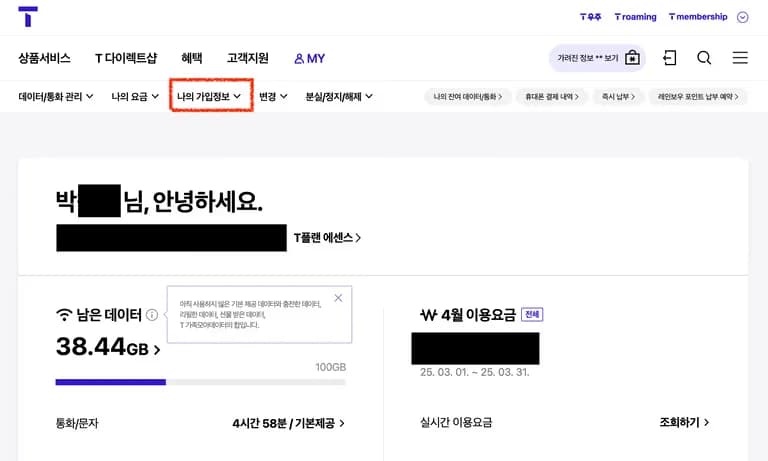
Then go into My subscription information.
This part can be confusing, but don’t click the sub-buttons under My subscription information; just click My subscription information itself.

If you scroll down, you’ll see the SIM unlock code.
Click Search/View.

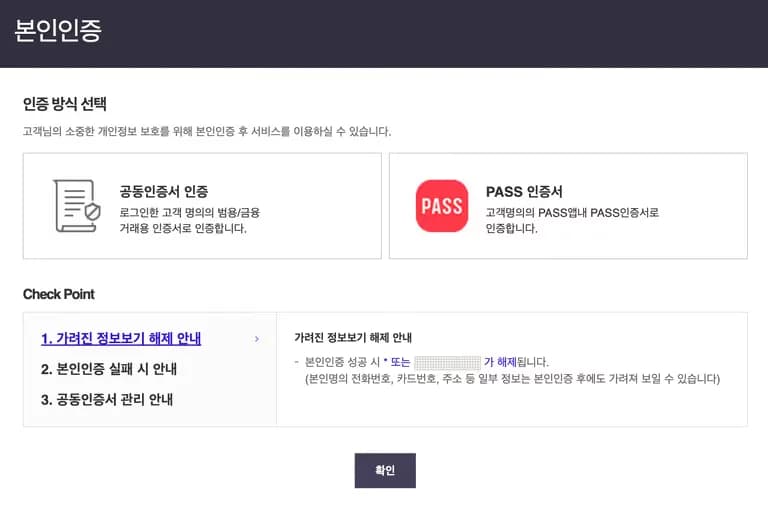
You can choose any identity verification method.
If you’ve made it this far, your phone is probably unusable, so verify yourself using an accredited certificate.

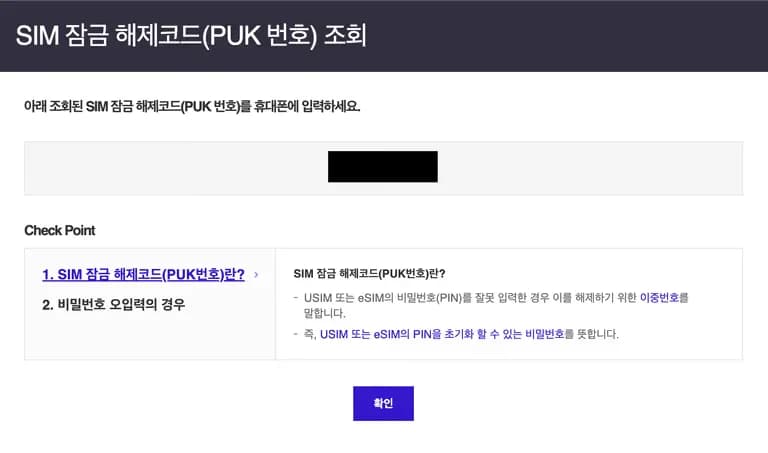
Now, if you enter the PUK you obtained into your phone, the lock will be released and you can enter a new SIM PIN.

3. Thoughts on this incident
SKT says information on 23 million members has been leaked, so I assume my data has been completely exposed too.
I plan to change my SIM first thing tomorrow.
And as soon as my contract is over, I’ll switch carriers as well.
One telecom company installs viruses on customers’ PCs, another leaks personal information…
It feels like the only option left is the one that uses Huawei network equipment.
댓글을 불러오는 중...