在向 Bing 提交站点收录时才发现,Bing 提供了一个叫做 IndexNow 的功能。
核心在于,可以利用 API Key,在写完文章的瞬间就立刻发起索引请求。
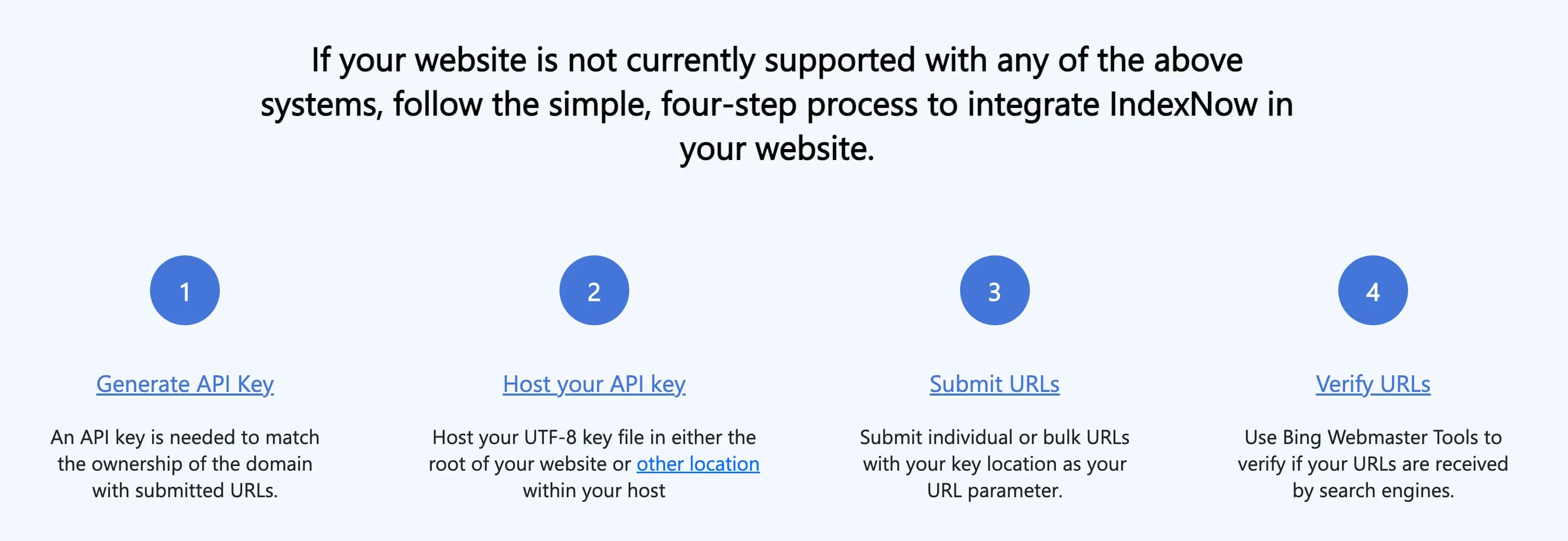
只要用 fetch 写出类似下面这样的请求,并把它串联到「写文章」流程里,就可以在把文章保存到 DB 的同时发送索引生成请求。
POST /IndexNow HTTP/1.1
Content-Type: application/json; charset=utf-8
Host: api.indexnow.org
{
  "host": "www.example.org",
  "key": "f9ee84af58564dacb6bfe55d808a252c",
  "keyLocation": "https://www.example.org/f9ee84af58564dacb6bfe55d808a252c.txt",
  "urlList": [
      "https://www.example.org/url1",
      "https://www.example.org/folder/url2",
      "https://www.example.org/url3"
      ]
}
于是顺便看了看其他网站的 API,发现 Naver 和 Google 也有各自的 api。
Naver 的站长工具也支持 IndexNow。
除了 host 不同以外,其余元素都完全一样。
所以就决定先用 IndexNow 试试看。
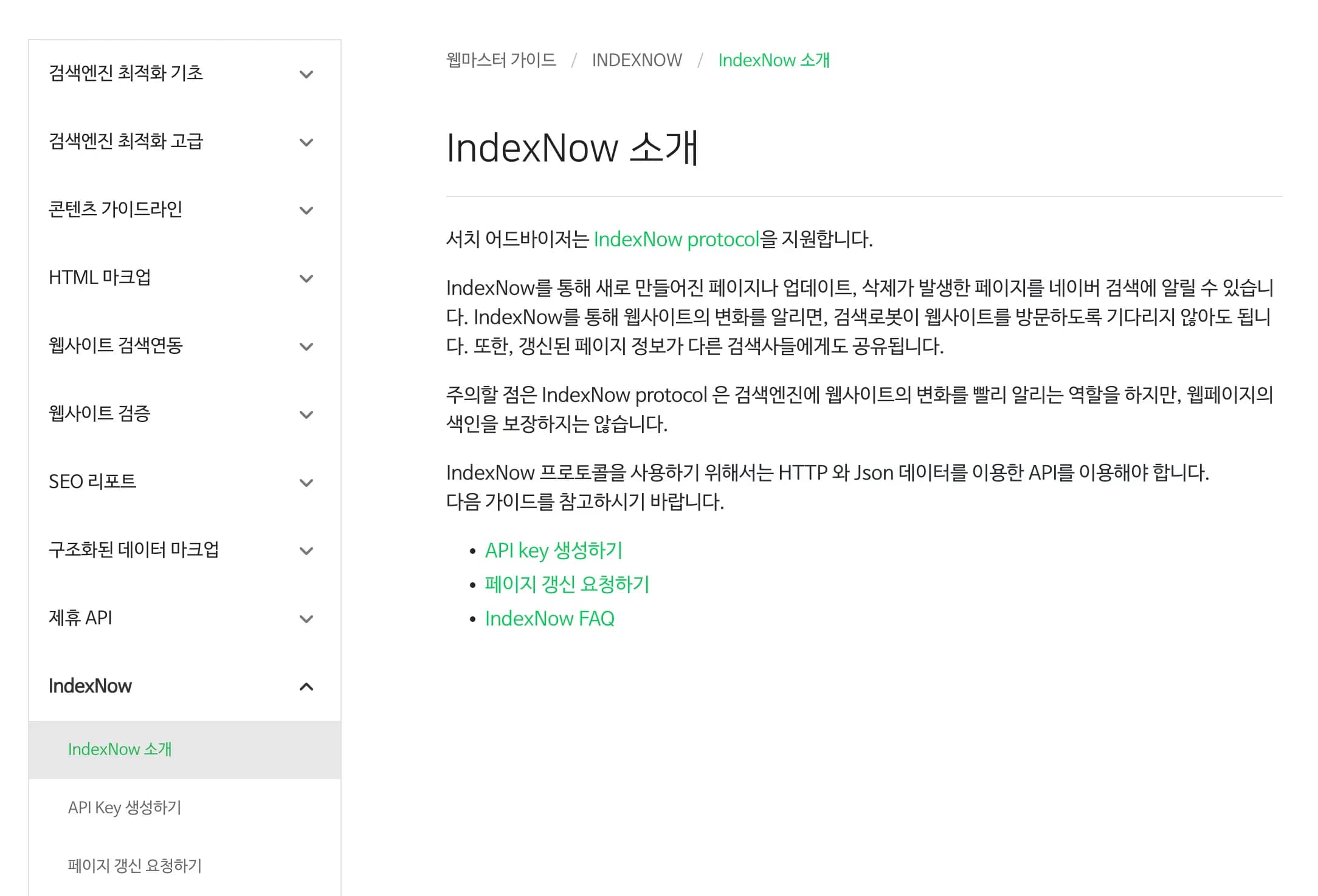
1. 什么是 IndexNow?
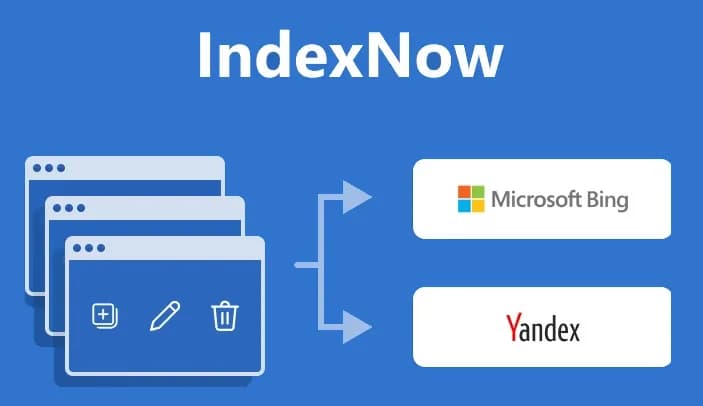
以往的搜索方式,是搜索引擎自动来爬取我的网站,检查是否有更新,然后再进行索引。
如果迟迟没有触发爬取,那就只能干等。
为了解决这个问题登场的技术,就是 IndexNow。

每当在网站上创建、删除、修改文章时,主动向服务器 push 一次。
只要网站主动发起请求,搜索引擎就会把这些 url 加入索引队列。
2. 支持的搜索引擎
目前支持 IndexNow 的搜索引擎如下。
顺带一提,不同网站的 API host 会稍有差异。
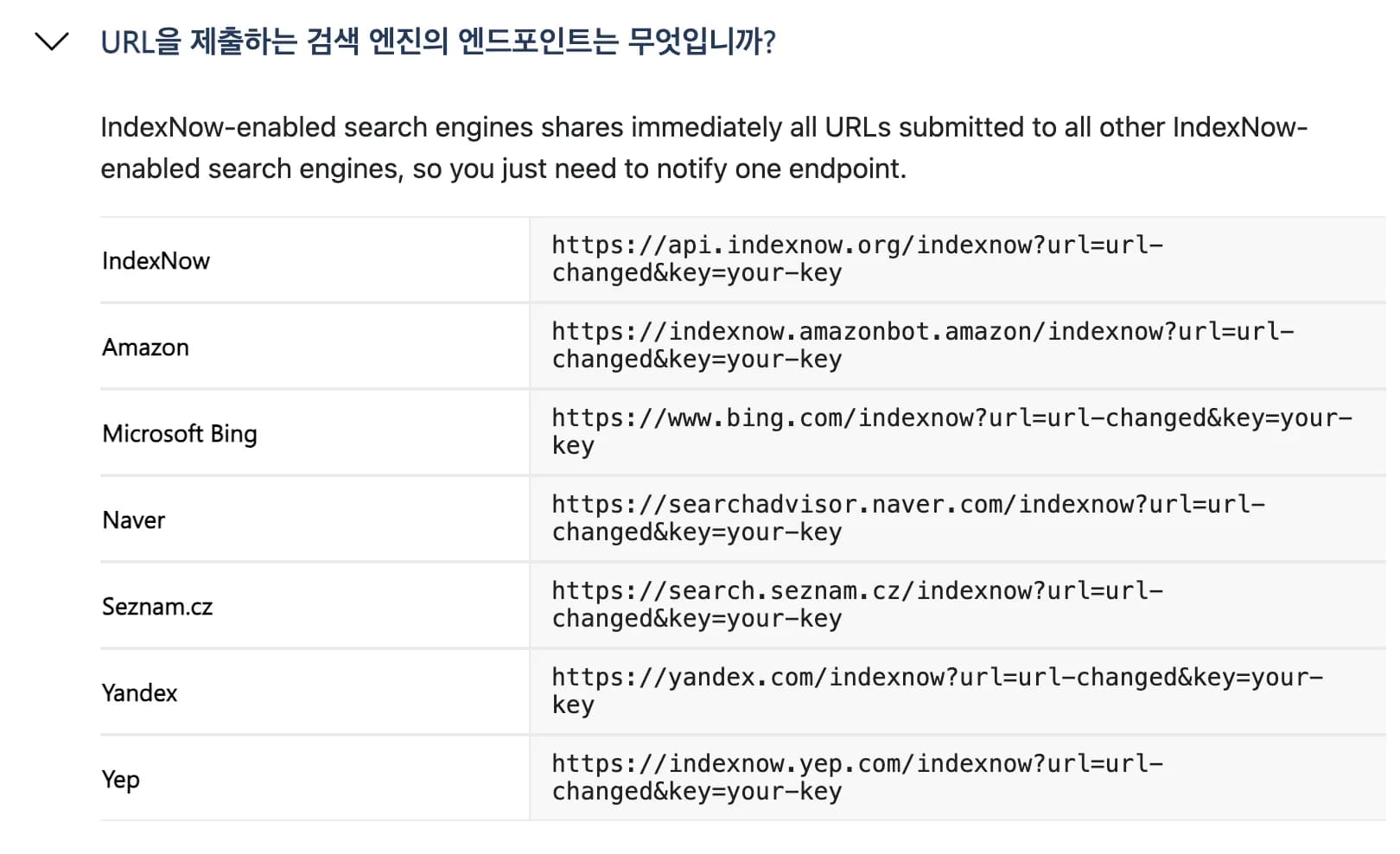
Naver 的官方说明可以看下面这个链接。
3. 实现方法
1) 生成 Key 文件
在站点根目录放置 <key>.txt 文件,用来认证站点所有者。
这个文本文件里面只能写一行 key 字符串。
https://example.com/1234567890ABCDEF.txt2) 向搜索引擎发送 URL 变更
通过 POST 传递如下 JSON。
搜索引擎接收到请求后,会为这些 URL 预约一次快速的重新爬取。
{
  "host": "example.com",
  "key": "1234567890ABCDEF",
  "keyLocation": "https://example.com/1234567890ABCDEF.txt",
  "urlList": [
    "https://example.com/post/123",
    "https://example.com/about"
  ]
}
4. 在 Nextjs 中使用
IndexNow 也有对应的 npm 库,但因为代码本身很简单,就决定自己写一个函数来用。
当然自己写也行,不过让 gpt 或 claude 大哥来写会更漂亮。
反正不是什么大事,就让它们帮忙生成一段,然后认真读一遍就行。
type IndexNowPayload = {
  host: string;
  key: string;
  keyLocation: string;
  urlList: string[];
};

const INDEXNOW_ENDPOINT = "https://api.indexnow.org/indexnow"; // Bing/공용용

export async function submitToIndexNow(
  urls: string[],
  options?: {
    host?: string;
    key?: string;
    keyLocation?: string;
    endpoint?: string; // 필요하면 네이버용 endpoint 등으로 바꿔 쓰기
  }
): Promise<void> {
  if (!urls.length) return;

  const host =
    options?.host ??
    process.env.INDEXNOW_HOST ?? // 예: "earthscience.kr"
    new URL(urls[0]).host;

  const key = options?.key ?? process.env.INDEXNOW_KEY;
  const keyLocation =
    options?.keyLocation ??
    process.env.INDEXNOW_KEY_LOCATION ?? // 예: "https://earthscience.kr/1234567890ABCDEF.txt"
    `https://${host}/${key}.txt`;

  const endpoint = options?.endpoint ?? INDEXNOW_ENDPOINT;

  if (!key) {
    throw new Error("IndexNow key가 설정되지 않았습니다. 환경변수 INDEXNOW_KEY를 확인하세요.");
  }

  const payload: IndexNowPayload = {
    host,
    key,
    keyLocation,
    urlList: urls,
  };

  const res = await fetch(endpoint, {
    method: "POST",
    headers: {
      "Content-Type": "application/json; charset=utf-8",
    },
    body: JSON.stringify(payload),
  });

  if (!res.ok) {
    const text = await res.text().catch(() => "");
    throw new Error(
      `IndexNow 요청 실패: ${res.status} ${res.statusText} ${text ? `- ${text}` : ""}`
    );
  }
}
另外要注意的是,Naver 的 endpoint 不一样,如果连 Naver 也想一起通知,就得 fetch 两次。
现在只要把这段逻辑轻轻挂到「写文章」「修改文章」「删除文章」这些 API 上就可以了。
export async function Post(request: NextRequest){

	...

    const post = await createPost({
      title,
      excerpt: excerpt || "",
      content,
      category: category || "기타",
      categoryId: categoryId || null,
      thumbnail: thumbnail || null,
      published: published || false,
    });

    // IndexNow에 새 글 알림 (published인 경우만)
    if (post.published && post.slug) {
      try {
        const postUrl = `${process.env.NEXT_PUBLIC_URL}/post/${post.slug}`;
        await submitToIndexNow([postUrl]);
        console.log('IndexNow 제출 성공:', postUrl);
      } catch (indexError) {
        console.error('IndexNow 제출 실패:', indexError);
        // IndexNow 실패해도 글 발행은 성공으로 처리
      }
    }

	...

}
5. 故障排查
在 bing 上能正常提交,但在 Naver 上却总是提交失败。
查了一下发现,在 Naver 那里,设置 host 时必须去掉 https://。
需要通过下面这样的步骤,只抽取出真实的 host。
options?.origin ??
process.env.NEXT_PUBLIC_URL ?? // 보통 https://도메인
new URL(urls[0]).origin;

const originUrl = new URL(origin);
const host = options?.host ?? originUrl.host; // ✅ 도메인만
比如需要像下面这样改:
{
  "host": "https://earthscience.kr"  // 会出现 422 错误!
  "host": "earthscience.kr"		 // 这样就能通过
}
6. 使用感受
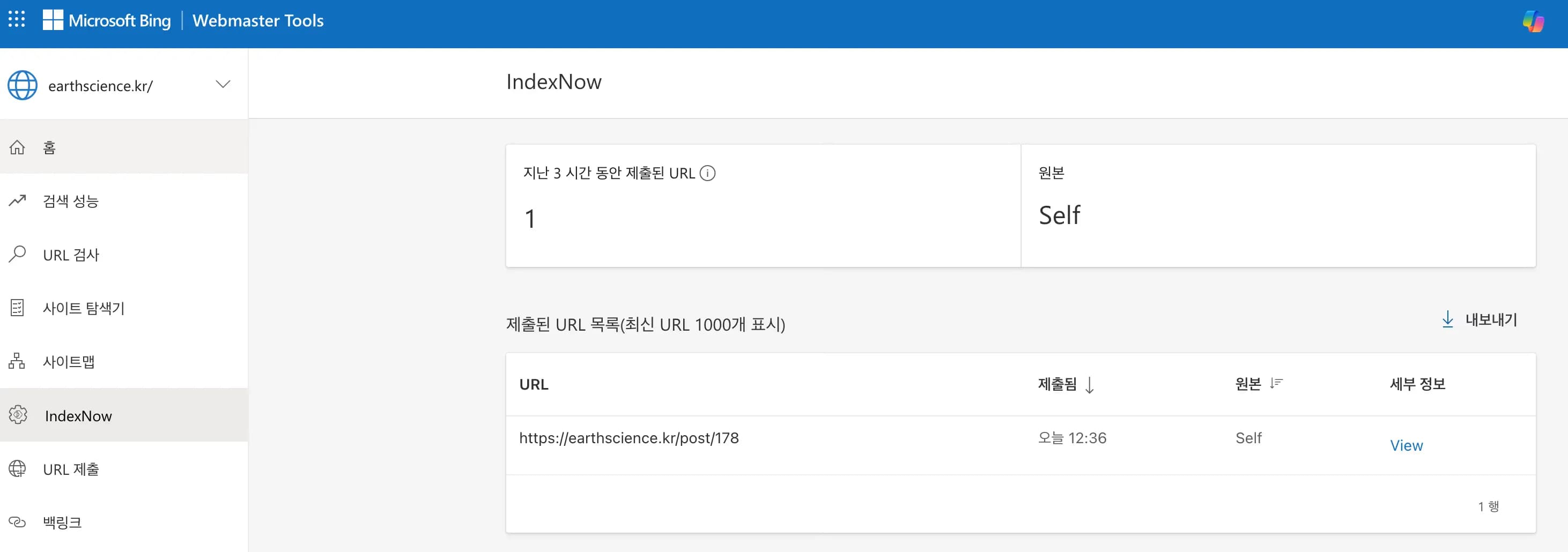
把现在正在写的这篇文章作为测试发布、修改了一下,看起来工作得挺正常。
以后就不用再单独进 bing 或 naver 里面操作了,想到能自动被抓取就轻松多了。
接下来还得再观察一段时间,看看长期效果如何。





댓글을 불러오는 중...