Fifth day stuck at home due to the pandemic.
My wife, while cleaning the house, found an old Bluetooth speaker we used.
But the charging port was a Micro 5-pin.
I couldn't stand it.
Since we weren't using it anyway, I decided to disassemble it.
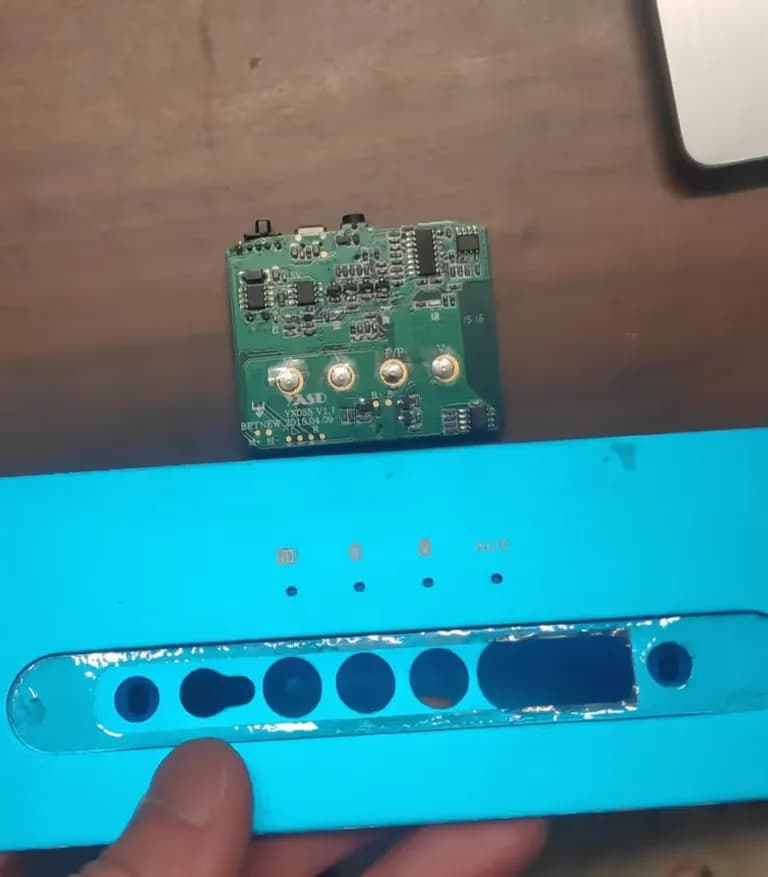
Now, all I need to do is replace that port with a USB-C type.
Originally, you should carefully remove the solder, but I couldn't manage to with a Daiso soldering iron, so I cut it with snippers.
While cutting with the snippers, the number 2 pin flew off.
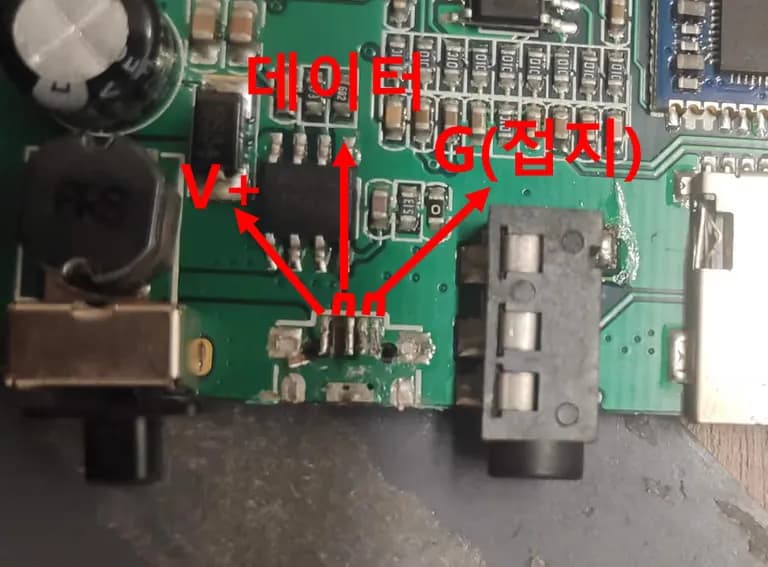
Fortunately, the Micro 5-pin structure is such that pin 1 receives (+), and pins 4 and 5 receive (-).
Pins 2 and 3 are data-related and were unnecessary.
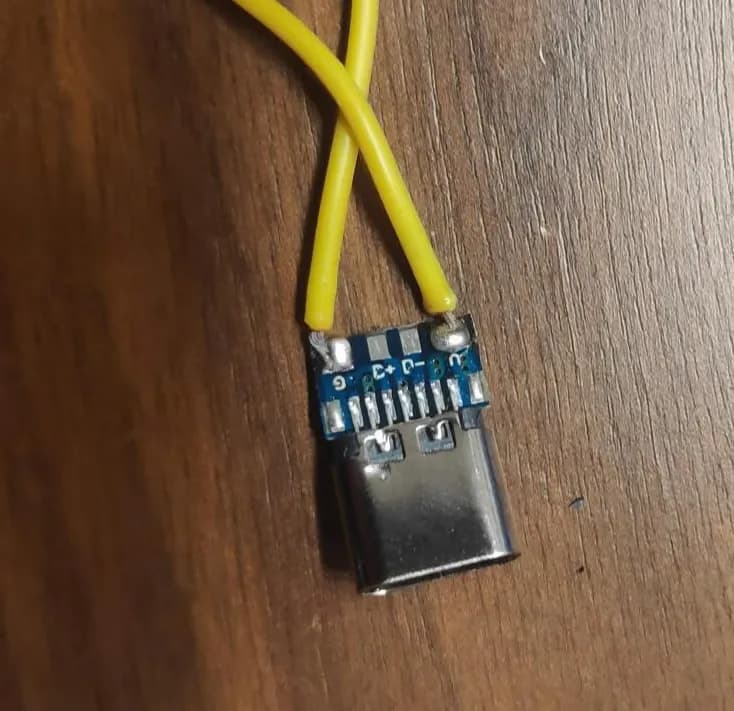
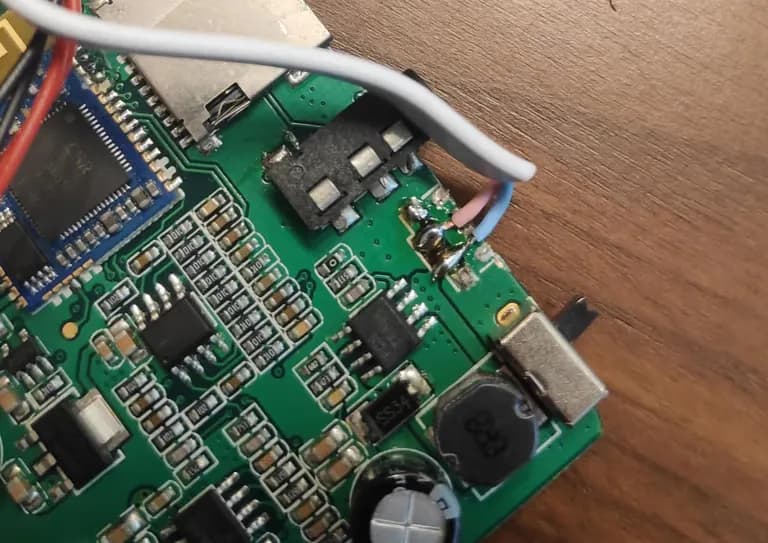
On the USB-C type female connector, the (+) part is marked as V, and the (-) part is marked as G (ground).
V is for soldering onto pin 1 of the Micro 5-pin, and G onto pins 4 or 5 of the Micro 5-pin.
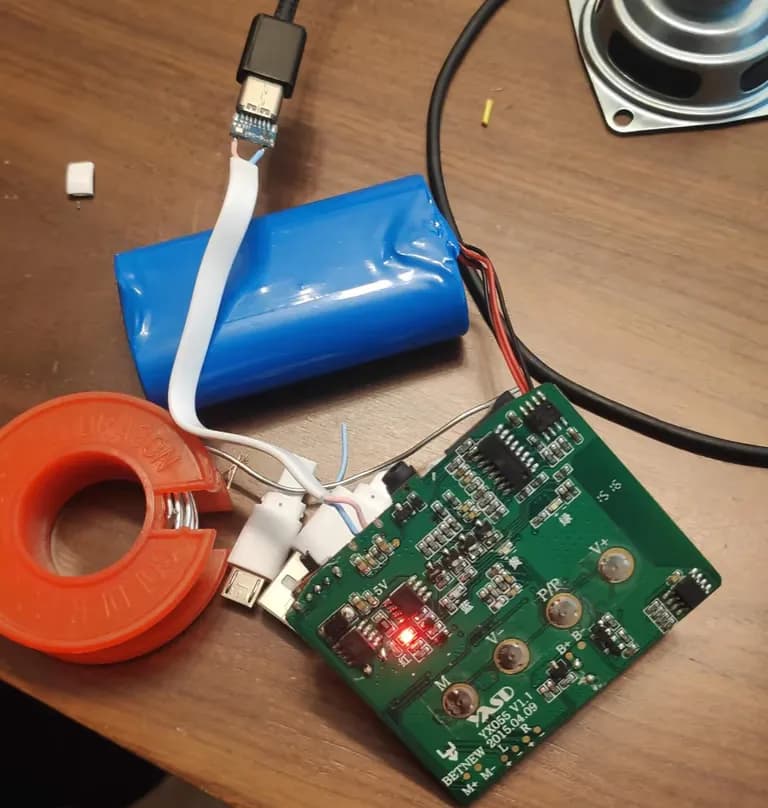
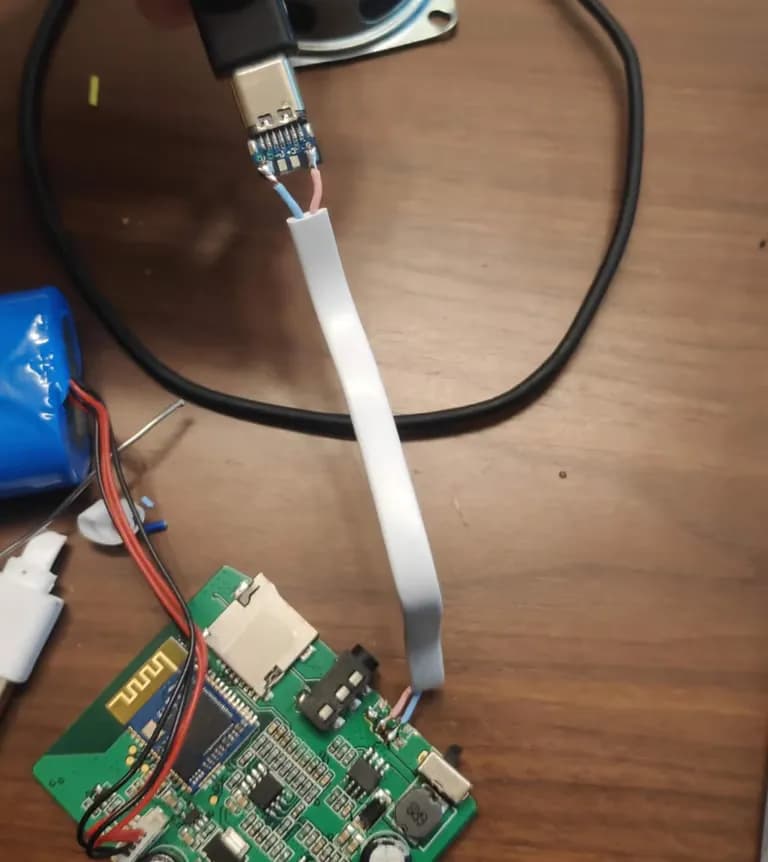
I soldered like this, but it didn't work, and I don't know how much time I spent searching for the Micro 5-pin structure.
Turns out, the wire I used before was severed.
After replacing the wire, it worked fine.
If you want to put it back in the case, finish it off with a glue gun at the end.
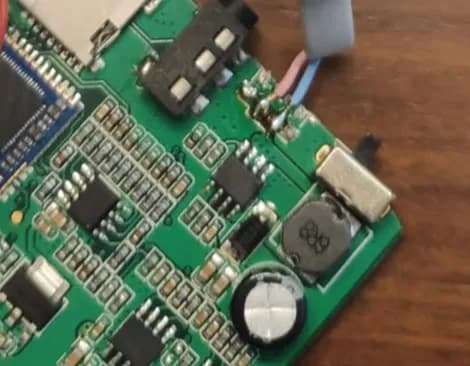
Even though I changed the Micro 5-pin to a USB-C type...
Thinking of fully modifying it, I just threw away the case because it was too bothersome to make a new one.
I guess I'll have to use it like this for a while.






댓글을 불러오는 중...