It seems like I've tried every OCR available for recognizing students' medical certificates.
I've used various OCRs such as Tesseract, EasyOCR, and PaddleOCR, but none had satisfactory performance with Korean.
Recently, however, I discovered a Python library that wraps the Live Text functionality available on MacBook.
It's based on the Vision Framework API released by Apple.
1. Vision Framework
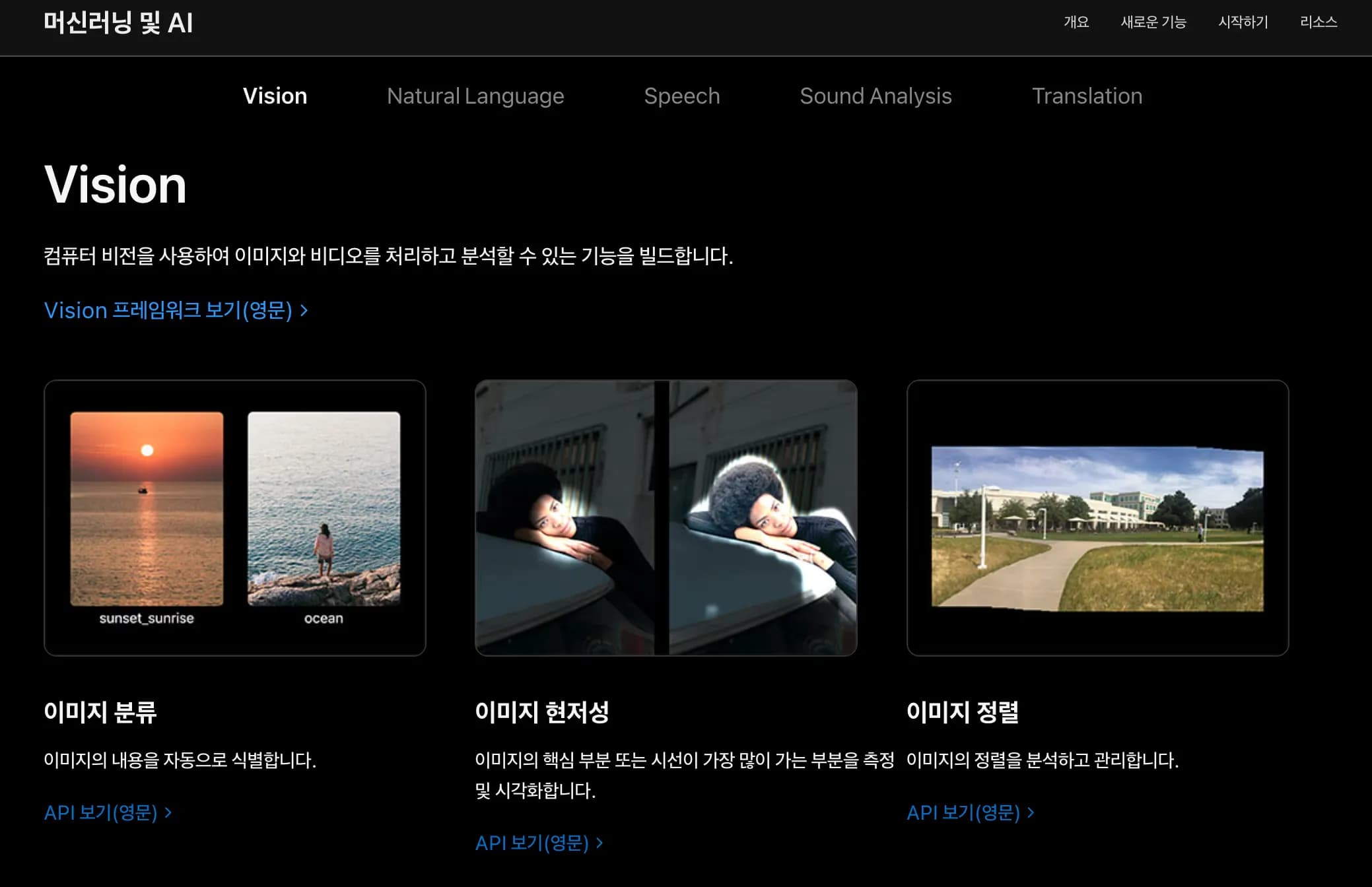
The Vision Framework is a machine vision framework released by Apple for developers from High Sierra.
It provides various APIs such as image classification, sorting, text recognition, and face recognition.
Since it's on-device, no internet connection is required.
If implemented purely in Swift, it can be used as follows:
import Foundation
import Vision
import AppKit

func loadNSImage(_ path: String) -> NSImage? {
    return NSImage(contentsOfFile: path)
}

func cgImage(from nsImage: NSImage) -> CGImage? {
    var rect = CGRect(origin: .zero, size: nsImage.size)
    return nsImage.cgImage(forProposedRect: &rect, context: nil, hints: nil)
}

let args = CommandLine.arguments
guard args.count >= 2 else {
    fputs("Usage: ocr <image_path> [lang1,lang2,...] [roi]\n", stderr)
    exit(1)
}
let imagePath = args[1]
let langs = args.count >= 3 ? args[2].split(separator: ",").map { String($0) } : ["ko-KR","en-US"]

// ROI: "x,y,w,h" in 0~1 (optional)
var roi: CGRect? = nil
if args.count >= 4 {
    let comps = args[3].split(separator: ",").compactMap { Double($0) }
    if comps.count == 4 {
        roi = CGRect(x: comps[0], y: comps[1], width: comps[2], height: comps[3])
    }
}

guard let nsImage = loadNSImage(imagePath), let cg = cgImage(from: nsImage) else {
    fputs("Failed to load image\n", stderr)
    exit(1)
}

let request = VNRecognizeTextRequest { request, error in
    if let error = error {
        fputs("Error: \(error.localizedDescription)\n", stderr)
        exit(1)
    }
    let observations = request.results as? [VNRecognizedTextObservation] ?? []
    for obs in observations {
        if let top = obs.topCandidates(1).first {
            print(top.string)
        }
    }
}

// Key options
request.recognitionLevel = .accurate
request.usesLanguageCorrection = true
request.recognitionLanguages = langs
request.customWords = [] // Add domain-specific dictionary if needed

if let r = roi {
    request.regionOfInterest = r
}

// Automatically uses the latest revision if supported (specify below line if needed)
// request.revision = VNRecognizeTextRequestRevision3 // Change to match OS

let handler = VNImageRequestHandler(cgImage: cg, options: [:])
do {
    try handler.perform([request])
} catch {
    fputs("Perform error: \(error.localizedDescription)\n", stderr)
    exit(1)
}
Then, compile and run it in the terminal as shown below.
xcrun swiftc ocr.swift -o ocr
./ocr sample.png "ko-KR,en-US"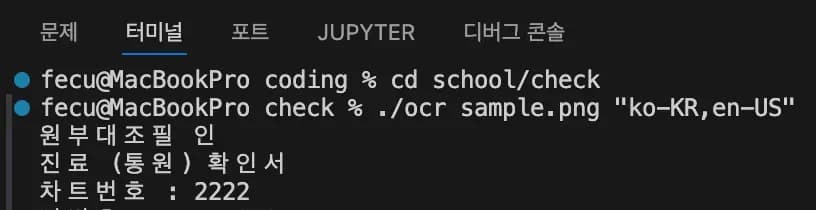
The recognition rate and speed are amazing.
Using EasyOCR took more than 3 seconds per page, while using the Vision Framework processes two pages per second.
Upon searching, I found that someone had made a Python library.
2. ocrmac
Thankfully, someone had wrapped the API in Python.
We can download it via pip and use it.
pip install ocrmac Let's try recognizing a sample image.
Initially, the text recognition wasn't good, but specifying the target language greatly improved the recognition rate.
from ocrmac import ocrmac
import matplotlib.pyplot as plt

img_path = './pdf2png/scan0.png'
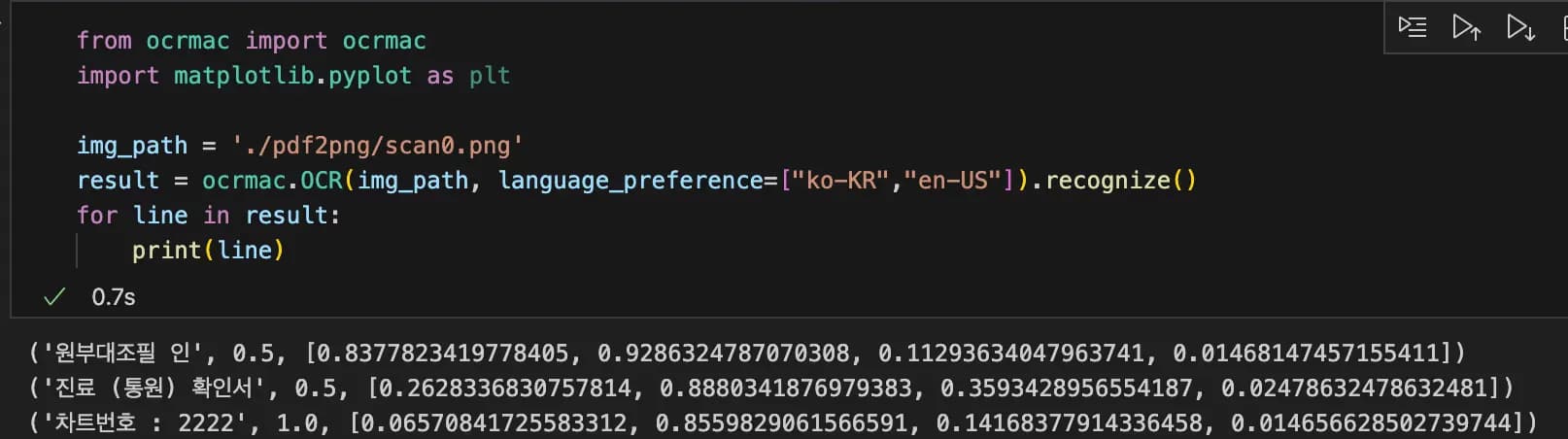
result = ocrmac.OCR(img_path, language_preference=["ko-KR","en-US"]).recognize()
for line in result:
    print(line)
The first value is the text, the second is accuracy, and the third is the bounding box.
Normally, you would use cv2 to draw bounding boxes, but this library does it for you.
You can use annotation_PIL as shown below.
from ocrmac import ocrmac
import matplotlib.pyplot as plt

img_path = './pdf2png/scan0.png'
result = ocrmac.OCR(img_path, language_preference=["ko-KR","en-US"])
img  = result.annotate_PIL()
plt.figure(figsize=(12,12))
plt.imshow(img)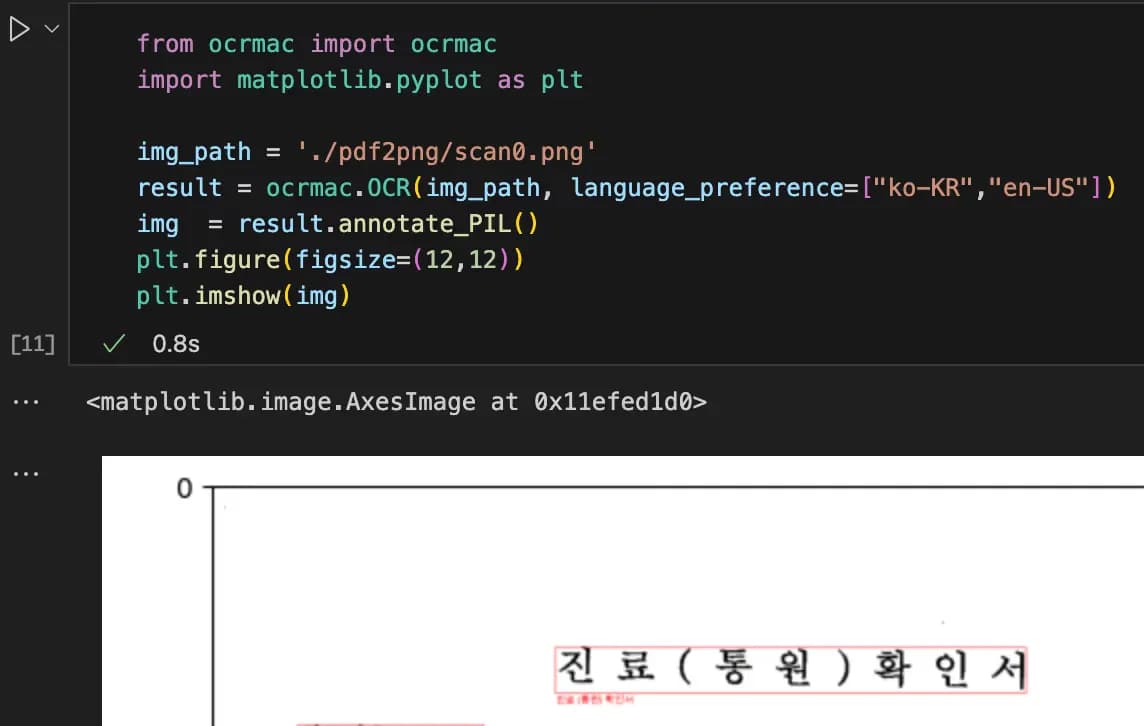
You can also change the framework to livetext or adjust the recognition level.
For a detailed example, try the following:
3. Review
Using Apple's Vision Framework has completely satisfied my OCR needs.
Processing 100 images at 200dpi takes around 10 minutes with EasyOCR, but less than 1 minute with ocrmac.
This could be a great basis for a web service.
If someone had told me about this earlier, I would've loved my MacBook even more...
It's a shame I found out too late.



댓글을 불러오는 중...