I installed OneDrive after setting up Windows for the first time.
But why... are there two OneDrives appearing?
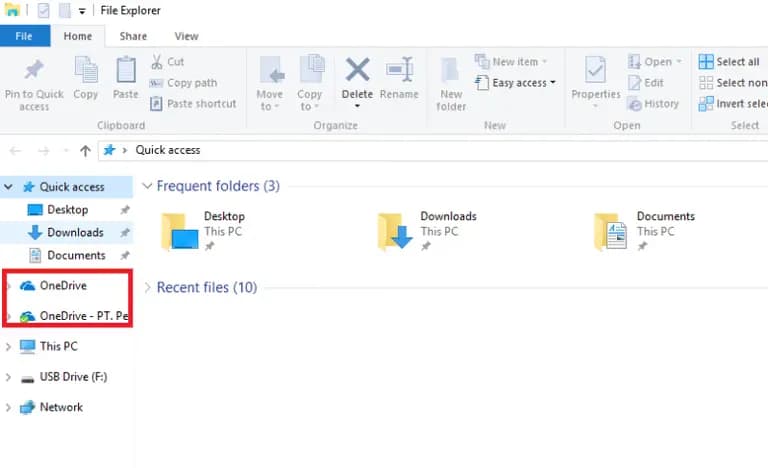
Formatting the computer or reinstalling OneDrive didn't fix this.
After several searches, I found the answer!!!
Method 1. Registry Edit
1) Open the Run dialog with Windows key + R and type regedit, then press Enter
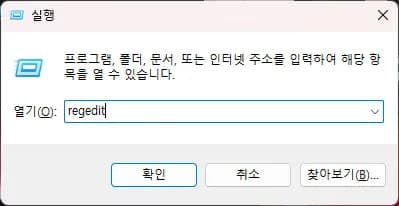
2) Go to the address below and after checking the OneDrive folder, delete the registry of the folder you want to remove.
HKEY_CURRENT_USER\Software\Microsoft\Windows\CurrentVersion\Explorer\Desktop\NameSpace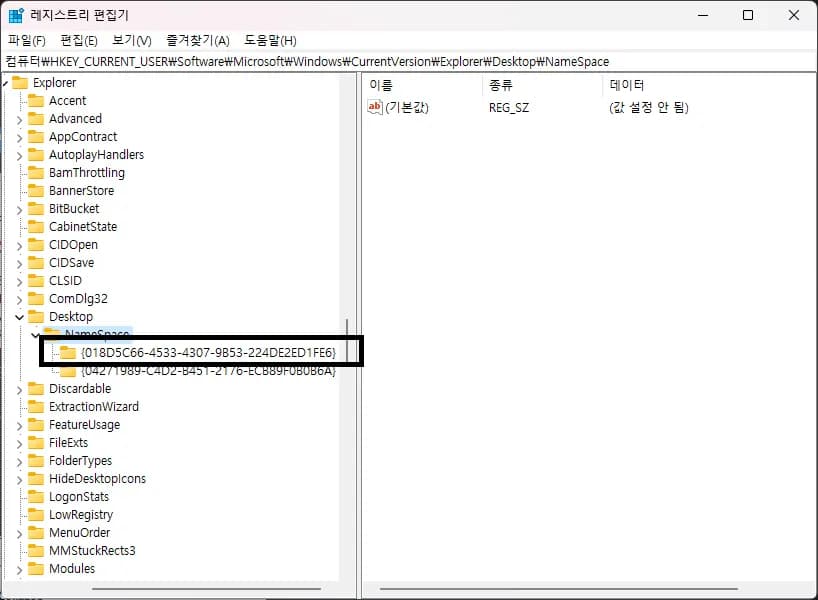
3) Confirm that the folder is gone.

Method 2. Force Restart OneDrive
1) Open Run with Windows key + R
2) Enter '%localappdata%\Microsoft\OneDrive\onedrive.exe /reset' and press Enter
3) The OneDrive icon in the taskbar will turn off and on again
4) If OneDrive is not visible, enter '%localappdata%\Microsoft\OneDrive\onedrive.exe' and press Enter





댓글을 불러오는 중...