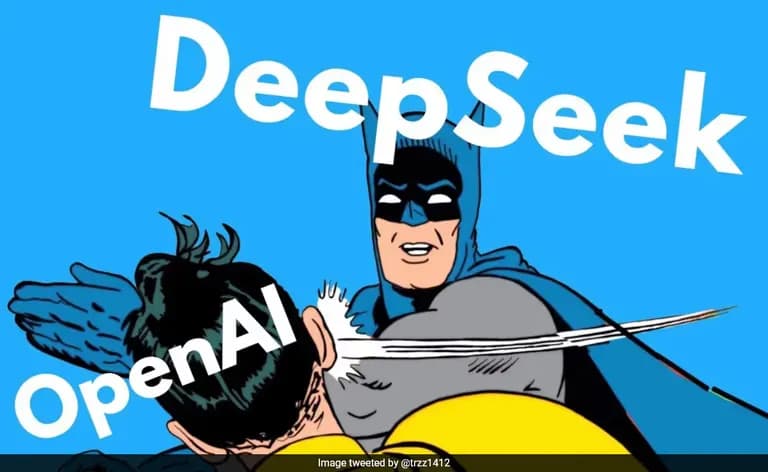
Seeing Deepseek R1 being open-sourced in China made me want to try running it in my own local environment.
So I decided to install it and see how I could build it as a web service.
The setup is a MacBook M1 with 16Gb of RAM.
1. Installing Ollama
Ollama is open source and lets you run LLMs in a local environment.
It’s written in Go, and it supports JavaScript and Python APIs, so you can allow access from localhost or external environments.
To install it, go to the URL above and download the program, or you can install it via Homebrew as well.
brew install ollamaInstalling via Homebrew really is the most thrilling.
This is why you use a MacBook.
Then start the service.
brew services start ollama2. Basic usage of Ollama
If you run Ollama help, you’ll see commands like the ones below.
ollama help
Large language model runner

Usage:
  ollama [flags]
  ollama [command]

Available Commands:
  serve       Start ollama
  create      Create a model from a Modelfile
  show        Show information for a model
  run         Run a model
  stop        Stop a running model
  pull        Pull a model from a registry
  push        Push a model to a registry
  list        List models
  ps          List running models
  cp          Copy a model
  rm          Remove a model
  help        Help about any command
There’s not much we actually need here.
If the model exists on the server, you can use run to pull and immediately execute it.
If it’s not on the server, you can also create a new environment with the modelfile and the create command.
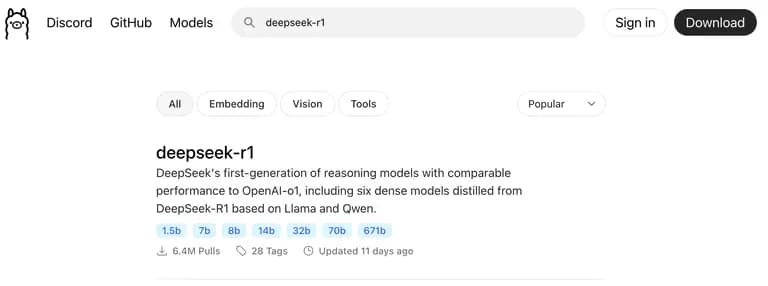
There are several versions currently available, but I wanted to try the original first.
Enter the following command into the terminal.
If you want to use a different model, just change the part after the colon.
ollama run deepseek-r1:8b

# If you want another model...
ollama run deepseek-r1:16b
ollama run deepseek-r1:7b
ollama run deepseek-r1:1.5b
3. Exploring the Deepseek-R1 model
I tried running the 8B model first.

Unfortunately this model doesn’t understand Korean very well.
On the other hand, it responds quite well in English.
could you recommend some places for travel

<think>
... 생략
</think>

Based on your thoughtful considerations and the various aspects you've
explored, here's a curated travel plan that combines historical sites,
natural beauty, unique cultural experiences, and culinary delights:

### Travel Itinerary: Exploring History, Nature, Culture & Cuisine

#### 1. **Historical Exploration**
   - **Amalfi Coast, Italy**: Visit Positano and Amalfi for their charming
architecture and coastal views. Explore ancient Roman ruins nearby.
   - **Tulum, Mexico**: Discover Mayan ruins and vibrant beach settings
with a mix of history and relaxation.

... 생략

### Budget Considerations:
   - Opt for multi-destination trips to balance costs. Prioritize
affordable flight and accommodation deals.

This itinerary offers a blend of history, nature, culture, and cuisine,
tailored to your interests and considerations.
You can find more diverse models on Hugging Face.
Among them, I downloaded and ran the quantized 14B distilled model.
The size was 10.27Gb.
ollama create deepseek-r1:14b-distill -f DeepSeek-R1-Distill-Qwen-14B-Q5_K_S
ollama run deepseek-r1:14b-distill
Then I asked, “Can you speak Korean?”
한국말 할 수 있니?

<think>
Okay, the user is asking "한국말할 수 있니?" which means "Do I speak
Korean?" in Korean.

I need to confirm if they know Korean or not.

Since they're asking this, it's likely that they don't speak Korean well
but want to communicate with someone who does.

So, I'll respond in a friendly manner and offer my help.
</think>

한국말이 nNot very fluent, but I can try to help! What do you need?
It kept throwing errors or giving weird output, so I read the documentation and found that the models uploaded there must have tokens at the beginning and end.
In Ollama, if you don’t set the template and params, it won’t work properly.
Do not forget about <|User|> and <|Assistant|> tokens! - Or use a chat template formatter
As I was looking into how to configure templates, I realized that for your mental health, it’s better to just download what others have already set up.
I downloaded the most popular 8b model.
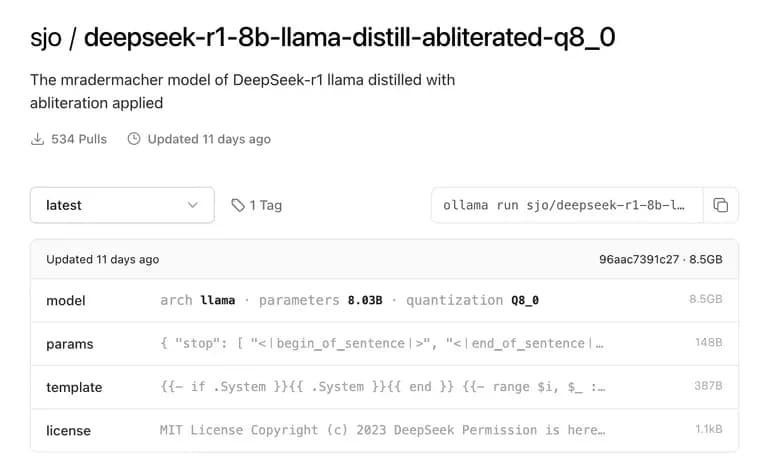
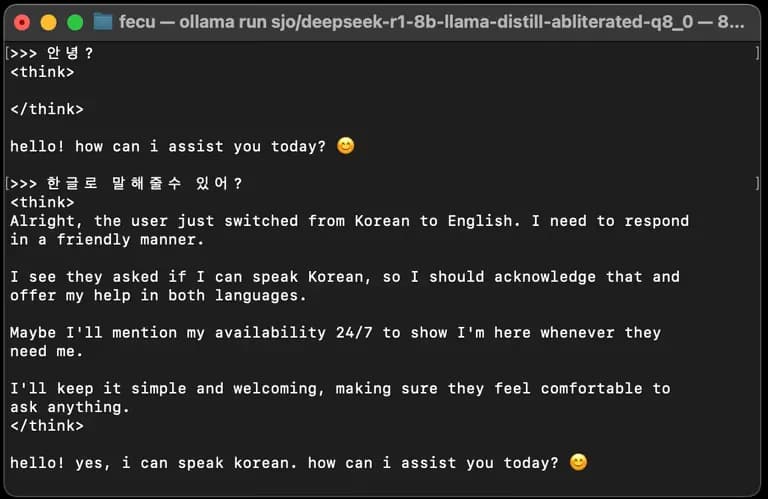
ollama run sjo/deepseek-r1-8b-llama-distill-abliterated-q8_0Like this, the thinking time got shorter and the answers became quite decent.
But I could feel my MacBook slowly getting warmer.
The 14b quantized model almost maxed out the memory, but it did run.

But when I ran the original, the memory usage went crazy.
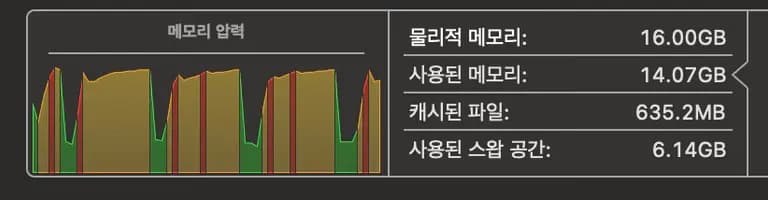
To really make good use of this open source, you probably need at least 32Gb of RAM.
It was the moment I decided I really need to work hard and earn more money.
4. Implementing a Deepseek-R1 service with Vercel SDK and Ollama
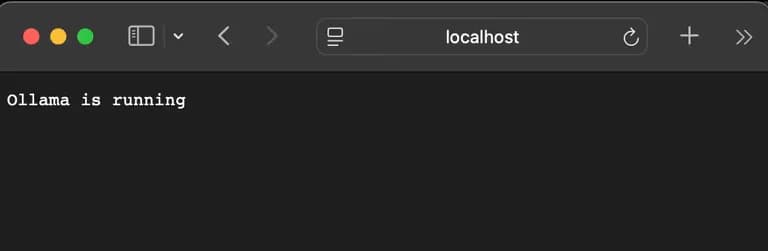
When you run Ollama, port 11434 opens.
You can send API requests directly to it!
First, install the required library.
yarn add ollama-ai-providerThen add the URL to your .env like this:
OLLAMA_BASEURL="http://localhost:11434/api"Next, configure the API endpoint as follows.
import { streamText } from "ai";
import { createOllama } from "ollama-ai-provider";

export const maxDuration = 30;

export async function POST(req: Request) {
  const { messages } = await req.json();
  const ollama = createOllama({
    baseURL: process.env.OLLAMA_BASEURL,
  });

  const result = await streamText({
    model: ollama("deepseek-r1:1.5b-distill"),
    // create로 만든 모델 명을 넣어주면 됨.
    // 서버 램이 적어서 1.5b 모델로 구현해 봄.
    messages: messages,
  });
  return result.toDataStreamResponse();
}
Then create the client page as well.
This is the same response page with Markdown that I used in the previous post.
The only difference is the API URL.
"use client";
import { useChat } from "ai/react";
import { PaperAirplaneIcon, StopCircleIcon } from "@heroicons/react/24/outline";
import { useRef, useEffect } from "react";
import ReactMarkdown from "react-markdown";
import remarkGfm from "remark-gfm";
import rehypeHighlight from "rehype-highlight";
import "highlight.js/styles/atom-one-dark.css";

export default function ChatInterface() {
  const { messages, input, handleInputChange, handleSubmit, isLoading } =
    useChat({
      api: "/api/services/deepseek",
    });
  const messagesEndRef = useRef<HTMLDivElement>(null);
  const scrollToBottom = () => {
    messagesEndRef.current?.scrollIntoView({ behavior: "smooth" });
  };

  useEffect(() => {
    scrollToBottom();
  }, [messages.length]);

  return (
    <div className="flex flex-col h-[calc(100svh-60px)] lg:h-[calc(100svh-106px)] max-w-3xl mx-auto border rounded-lg shadow-lg bg-white">
      <div className="flex-1 overflow-y-auto p-4 space-y-4">
        {messages.map((message) => {
          if (message.role !== "system") {
            return (
              <div
                key={message.id}
                className={`p-3 rounded-lg  ${
                  message.role === "user"
                    ? "ml-auto bg-blue-100"
                    : message.role === "assistant"
                    ? "bg-gray-100"
                    : "bg-green-100"
                }`}
              >
                {message.role === "assistant" && (
                  <p className="font-black mb-1">🌏 AI</p>
                )}
                <div className="text-gray-800">
                  <ReactMarkdown
                    className="w-full h-5/6 prose
                       prose-ol:bg-gray-200 prose-ol:rounded-lg prose-ol:pr-1.5 prose-ol:py-3
                     prose-ul:bg-gray-200 prose-ul:rounded-lg prose-ul:pr-1.5 prose-ul:py-3
                     prose-blockquote:bg-gray-200 prose-blockquote:rounded-lg prose-blockquote:border-l-8
                     prose-blockquote:text-gray-600 prose-blockquote:border-gray-700 prose-blockquote:break-all prose-blockquote:pr-1.5
                     prose-a:text-blue-600 prose-a:underline-offset-4 prose-a:underline
                      "
                    remarkPlugins={[remarkGfm]}
                    rehypePlugins={[rehypeHighlight]}
                  >
                    {message.content}
                  </ReactMarkdown>
                </div>
              </div>
            );
          }
        })}
        <div ref={messagesEndRef} />
      </div>

      <div className="fixed bottom-0 left-0 right-0 flex justify-center">
        <div className="w-full max-w-3xl p-1 bg-white border rounded-lg">
          <form
            onSubmit={handleSubmit}
            className="flex items-center bg-gray-50 rounded-lg px-4 py-2"
          >
            <input
              value={input}
              onChange={handleInputChange}
              placeholder="Enter your message..."
              className={`flex-1 bg-transparent outline-none resize-none max-h-32`}
              disabled={isLoading}
            />

            {isLoading ? (
              <button className="ml-2 text-blue-500 p-1 rounded-full hover:bg-blue-50">
                <StopCircleIcon className="size-6" />
              </button>
            ) : (
              <button
                type="submit"
                className="ml-2 text-blue-500 p-1 rounded-full hover:bg-blue-50"
              >
                <PaperAirplaneIcon className="size-6" />
              </button>
            )}
          </form>
        </div>
      </div>
    </div>
  );
}
Now let’s take a look at the response.

It’s a bit of a shame that there’s no <think> at the front, but it works well enough.
Now all that’s left is to gradually refine it.
5. Thoughts

After deepseek R1 was announced, I kind of imagined it like a mass-market Jarvis, but it wasn’t quite at that level.
At the very least, if you want performance on par with ChatGPT, you need hardware to match, and that level of hardware is a bit of a high bar for ordinary users.
Still, the idea of open-sourcing this itself is really impressive.
I hope a model will come out soon that runs on low-spec machines and is fine-tuned for Korean.






댓글을 불러오는 중...