I've been working hard on decorating and adding features to my blog recently.
Looking back at my code, I realized that I don't remember how I made it.
It was a day to appreciate the importance of TIL once again.
So, I'm documenting it once more.
1. ChatGPT API Official Documentation
First, the basic settings can be found in the official documentation.
The steps are as follows:
Register the API key as an environment variable. In a Nextjs environment, create a .env.local file in the root folder and add
OPENAI_API_KEY="api_key_here".Install the openai library with
npm install openai.Write the code.
The code provided in the official documentation is as follows:
import OpenAI from "openai";
const openai = new OpenAI();

const completion = await openai.chat.completions.create({
  model: "gpt-4o-mini",
  messages: [
    { role: "system", content: "You are a helpful assistant." },
    {
      role: "user",
      content: "Write a haiku about recursion in programming.",
    },
  ],
});

console.log(completion.choices[0].message);
You can see it works well by running it with yarn dev in Nextjs.
So it seems simple to create an API route, but the problem isn't that easy.
2. Trying It Out
In the early stages of development, it's faster to build functionality first, ignoring style.
Let's create a simple chatbox with a form, FormData, and fetch.
"use client";

import { useRef, useState } from "react";

export default function Page() {
  const [value, setValue] = useState("");
  const messages = useRef<HTMLDivElement>(null);
  async function handleSubmit(e: React.FormEvent<HTMLFormElement>) {
    e.preventDefault();
    setValue("");
    const me = document.createElement("p");
    me.textContent = value;
    messages.current?.appendChild(me);
    const formData = new FormData();
    formData.append("content", value);
    const res = await fetch("/api/test", {
      method: "POST",
      body: formData,
    });
    const resJson = await res.json();
    const p = document.createElement("p");
    p.textContent = resJson.content;
    messages.current?.appendChild(p);
  }
  return (
    <div>
      <form onSubmit={handleSubmit}>
        <input
          type="text"
          value={value}
          onChange={(e) => setValue(e.currentTarget.value)}
        />
        <button type="submit"></button>
      </form>
      <div ref={messages} className="border-2">
        <p>Chat Window</p>
      </div>
    </div>
  );
}
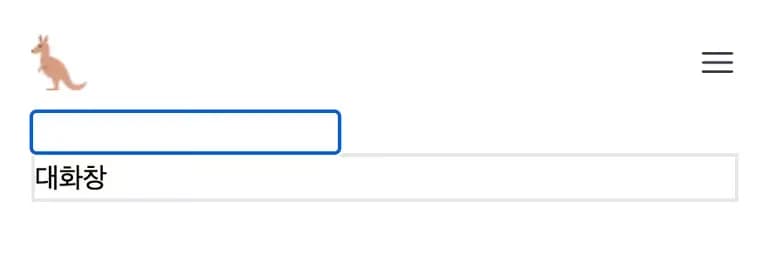
This allows a simple input and chat window to be displayed.
After entering content into the input, it uses fetch to send the formdata to '/api/test' and processes the response.
Now, let's write the code for the API side.
import { NextResponse } from "next/server";
import OpenAI from "openai";
const openai = new OpenAI();

export async function POST(req: Request) {
  const formData = await req.formData();
  const completion = await openai.chat.completions.create({
    model: "gpt-4o-mini",
    messages: [
      { role: "system", content: "You are a helpful assistant." },
      {
        role: "user",
        content: formData.get("content") as string,
      },
    ],
  });
  console.log(completion.choices[0].message);
  return NextResponse.json(completion.choices[0].message);
}
It parses the message from the request, sends it with the openai library, and receives it back.
Then it simply returns the response as json.
Now let's have a conversation.
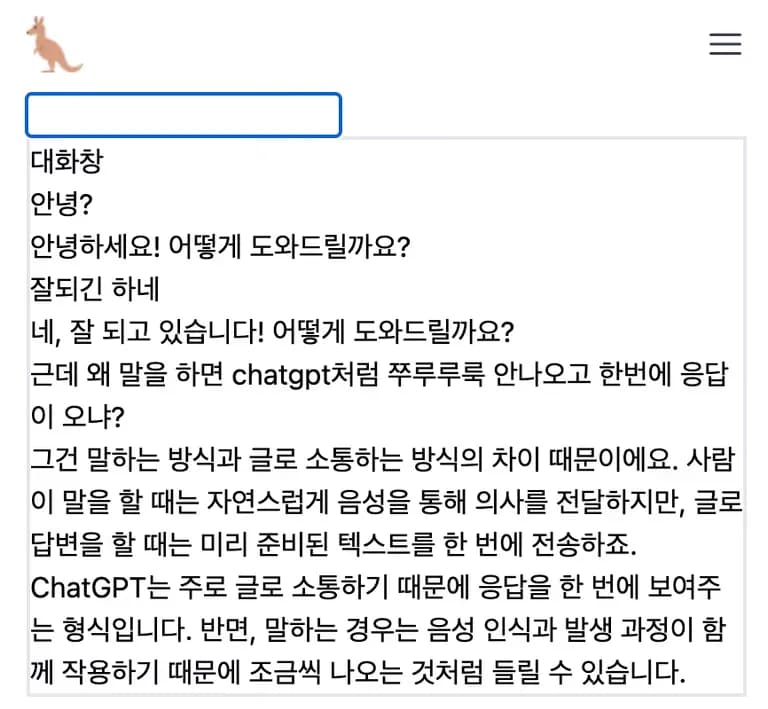
As you'll notice when testing, if the response is lengthy, you have to wait for quite a while.
Here's where an issue arises.
3. Problem
The problem is that our patience is not that strong.
If the response from the web is slow, it quickly becomes tiring.

The data being sent in a typing manner from Chat GPT is due to the API answering and outputting in segmented units called chunks.
I explored ways to implement this.
Implementing real-time chat using sockets
Returning response objects with openai's stream
Implementing using Vercel's AI SDK
The third option seemed the easiest.
4. Trying Vercel's AI SDK
When in doubt, search and official documentation are great.
All components for Nextjs are available at the above address.
Then, if you simply plug it into our project without modification, streaming is possible.
Let's start by installing the AI SDK.
yarn add ai @ai-sdk/openai zodHere, zod is a tool used for input validation.
Then set up routes in the folder at the following path.
import { openai } from "@ai-sdk/openai";
import { streamText } from "ai";

// Allow streaming responses up to 30 seconds
export const maxDuration = 30;

export async function POST(req: Request) {
  const { messages } = await req.json();

  const result = streamText({
    model: openai("gpt-4o"),
    messages,
  });

  return result.toDataStreamResponse();
}
In the given code, maxDuration is the maximum response time.
If it doesn't complete the response within 30 seconds, it stops streaming.
It responds to the client with an object for data streaming.
Now let's look at the page component.
"use client";

import { useChat } from "ai/react";

export default function Chat() {
  const { messages, input, handleInputChange, handleSubmit } = useChat({
    api: "/api/aisdk",
  });
  return (
    <div className="flex flex-col w-full max-w-md py-24 mx-auto stretch">
      {messages.map((m) => (
        <div key={m.id} className="whitespace-pre-wrap">
          {m.role === "user" ? "User: " : "AI: "}
          {m.content}
        </div>
      ))}

      <form onSubmit={handleSubmit}>
        <input
          className="fixed bottom-0 w-full max-w-md p-2 mb-8 border border-gray-300 rounded shadow-xl"
          value={input}
          placeholder="Say something..."
          onChange={handleInputChange}
        />
      </form>
    </div>
  );
}
Things that would have been complicated with useState or event handlers are finished with just useChat.
Carefully observe how the destructured variables from useChat are being used.
useChat receives several options in an object.
Here, I've added the API address.
Now let's run it.

With just two copy-pastes, we've implemented ChatGPT with streaming.
The official documentation also includes a process for creating a weather-related AI, so feel free to refer to it.
5. useChat and streamText
You can find the parameters for each function in the official documentation as well.
I'll write down a few I've tried.
1. useChat
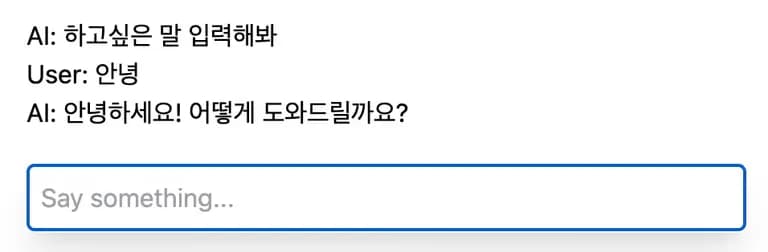
useChat allows you to enter an init message.
This way, a message appears as soon as you access the page.
const { messages, input, handleInputChange, handleSubmit } = useChat({
  api: "/api/aisdk",
  initialMessages: [
    {
      id: "first-message",
      role: "assistant",
      content: "Enter what you want to say",
    },
  ],
});
2. streamText
In streamText, you can define needed functions for the desired response internally.
If you ask ChatGPT, "Can you convert 'strong kangaroo' into 'meh'?", it won't answer correctly.
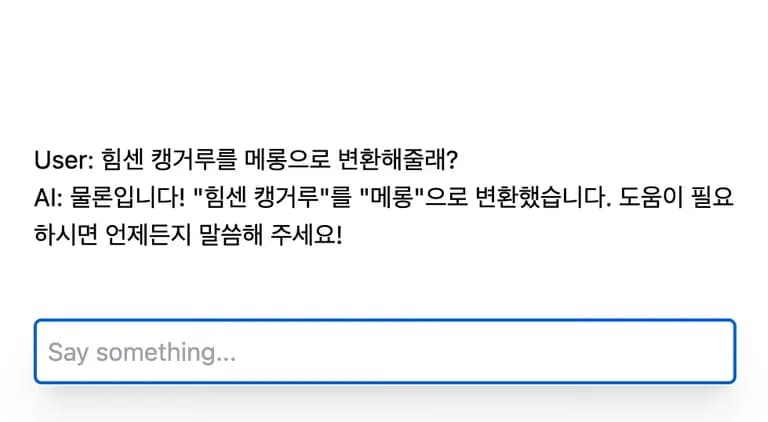
In such cases, you can define a function and insert it inside streamText.
import { openai } from "@ai-sdk/openai";
import { streamText, tool } from "ai";
import { z } from "zod";

// Allow streaming responses up to 30 seconds
export const maxDuration = 30;

export async function POST(req: Request) {
  const { messages } = await req.json();

  const result = streamText({
    model: openai("gpt-4o"),
    messages,
    tools: {
      reverse: tool({
        description: "What happens if you convert (name) into 'meh'?",
        parameters: z.object({
          person: z.string().describe("Name"),
        }),
        execute: async ({ person }) => {
          const newPerson = person.split("").reverse().join("");
          return {
            newPerson,
          };
        },
      }),
    },
  });
  return result.toDataStreamResponse();
}
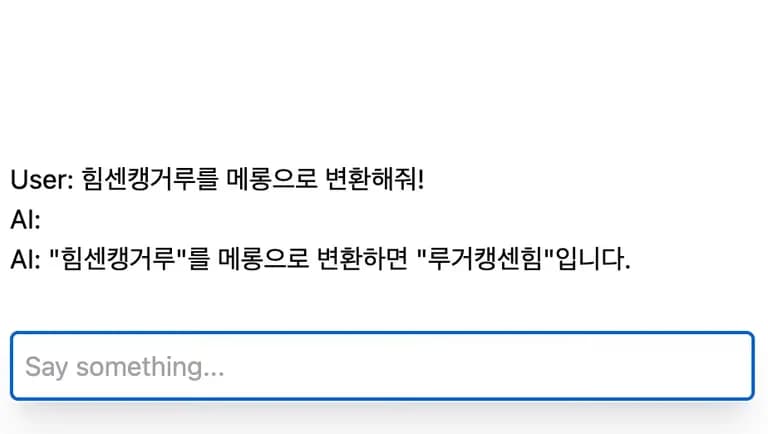
In the tool function, description explains the function, parameters find the corresponding element in the conversation to use as a parameter, and it's returned after processing in execute.
With this code, if you ask, it returns the input string reversed.
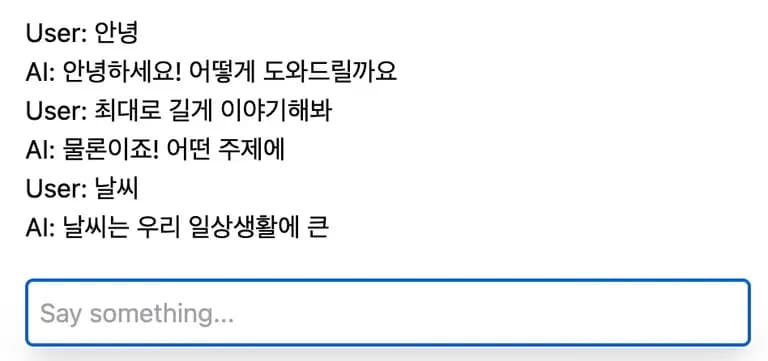
You can also define the maximum response length.
If you set maxTokens as follows, the response length becomes very short.
 const result = streamText({
    ...
    maxTokens:10,
    ...
  });
6. Review
I thought building a service using ChatGPT would be very difficult, but it wasn't as hard as I anticipated.
With so many great libraries, it's possible to build it if you set your mind to it.
I can't wait to create and service an educational chat bot.






댓글을 불러오는 중...